Your patients confirm.
You stay in sync.
Send a one-tap link. Patients see a friendly page, mark their availability, and hit Send. The response lands in your ZigBuddy inbox in real time. No phone tag. No app install.
Three taps for them. One inbox entry for you.
No setup. No training. Every patient already knows how to tap green and red buttons.
Step 1
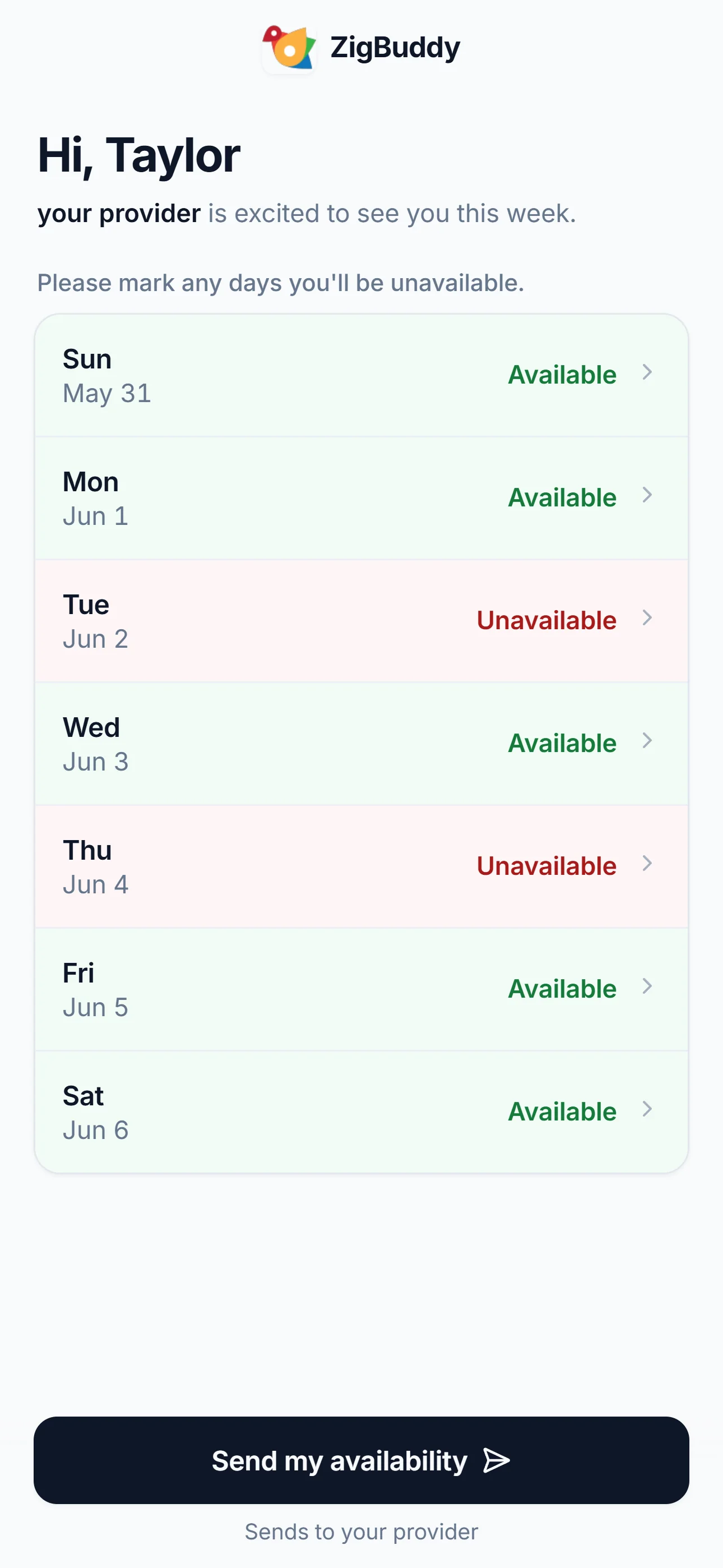
They see your name and a list of days.
"Hi, Taylor — your provider is excited to see you this week. Please mark any days you'll be unavailable."
Step 2
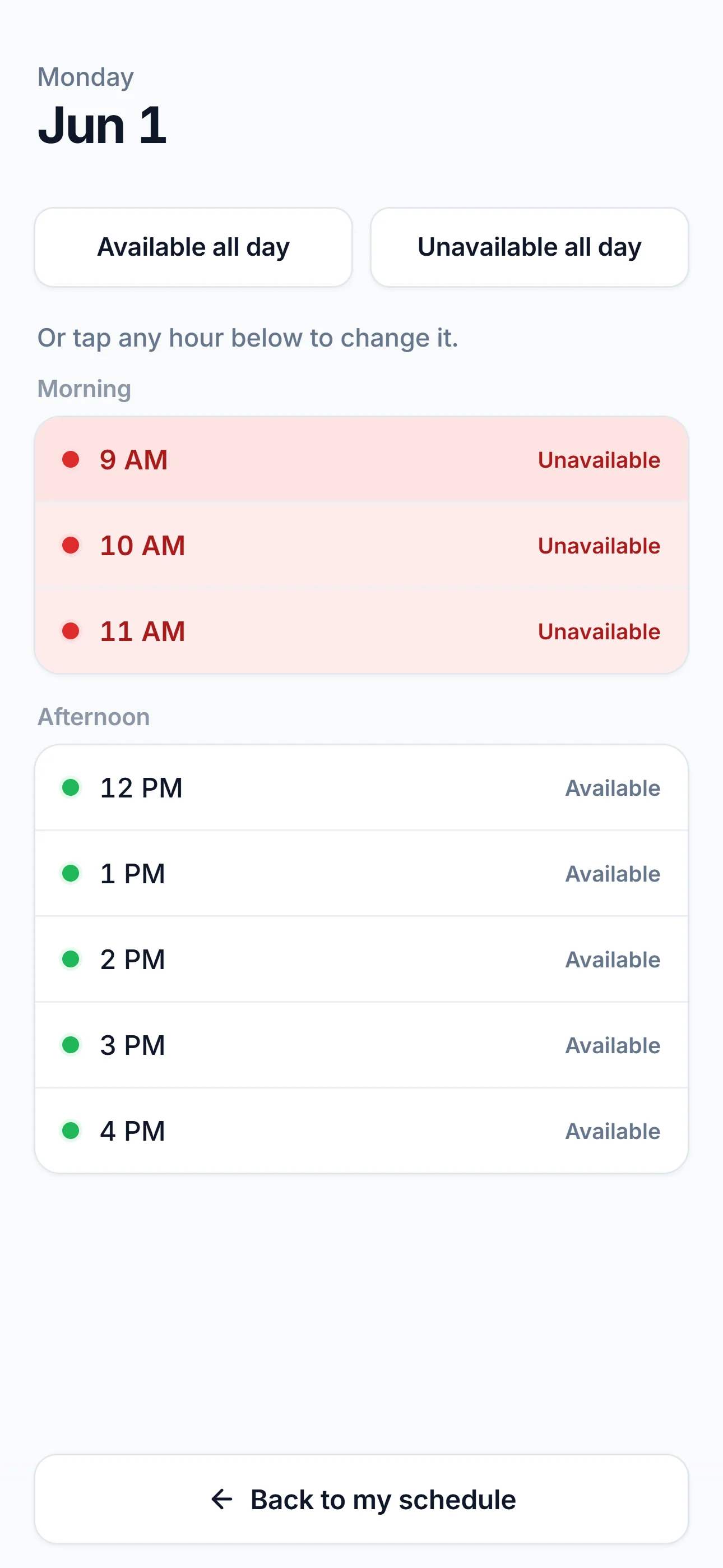
They go hour-by-hour if they want.
Tap any day for granular times. Mornings, afternoons, specific hours — whatever the patient needs to tell you.
Step 3
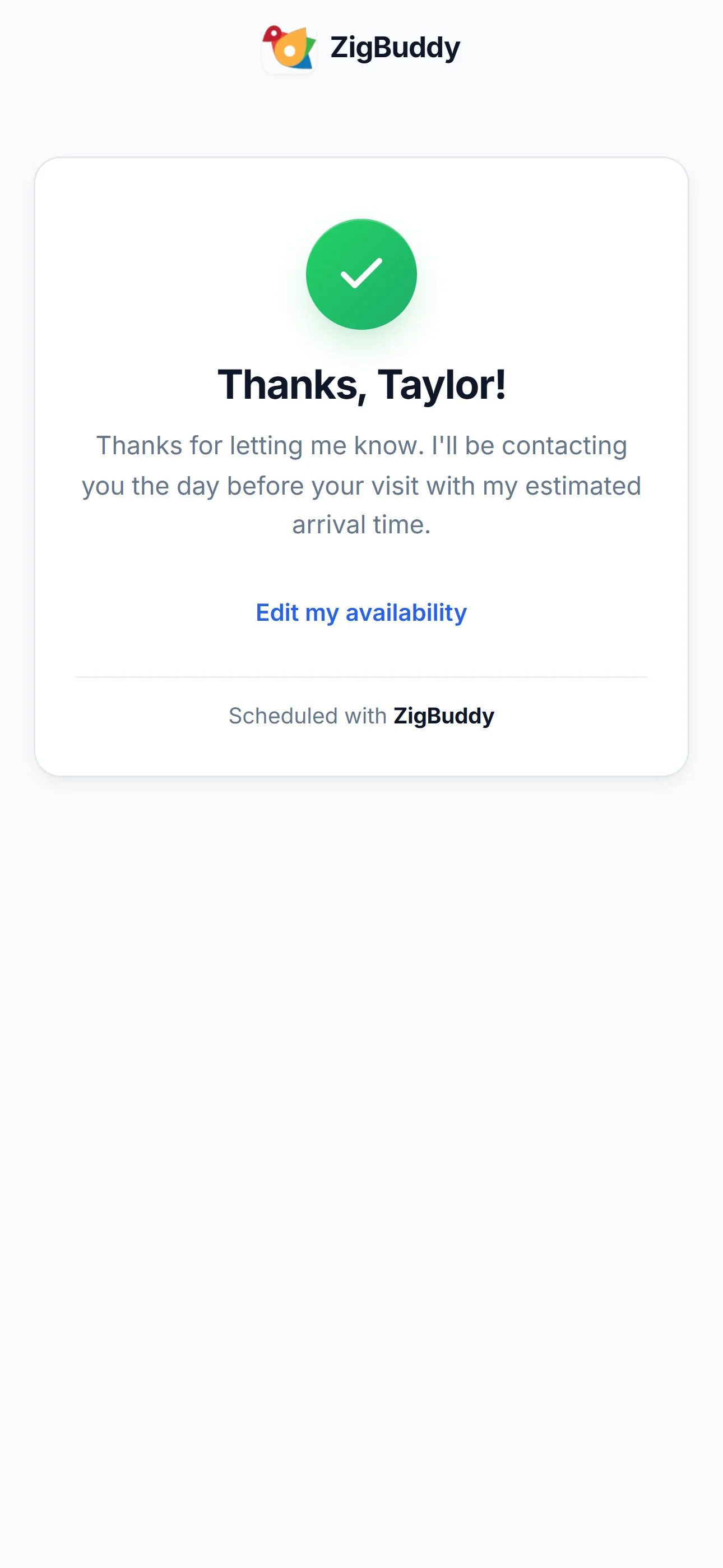
It hits your inbox. They get a thank-you.
Their answer is waiting in your inbox the next time you open the app. No follow-ups, no chasing.
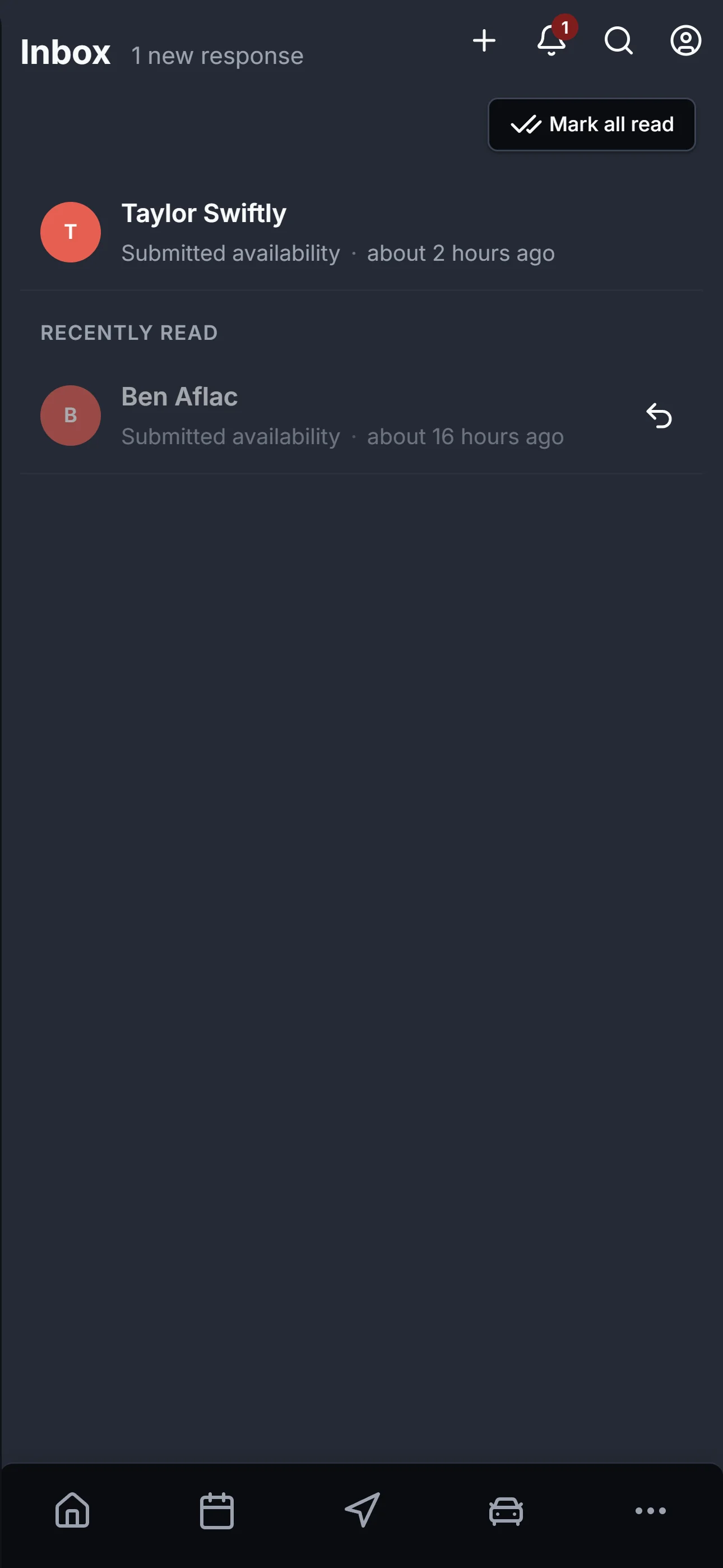
A real-time inbox of patient responses.
Every reply lands in your ZigBuddy inbox. Tap to see the patient's full updated availability — then ZigBuddy AI uses it for the next week's plan.
- Responses land in your ZigBuddy inbox in real time
- Availability flows straight into Organize Week
- Patient response timestamp shown on patient detail
- Copy the portal link any time from the patient card
No app install. No portal account. No login wall.
Solo home health clinicians don't have admin staff. ZigBuddy's patient portal does the back-and-forth so you don't have to chase a "yes" by text at 9 p.m.
0
Apps to install
Opens in any browser. Works on flip phones, tablets, anything with a link.
0
Patient logins
The link is the auth. Each patient gets their own — no signup, no passwords.
1
Tap to share
Copy from the patient card, send by text. They tap, they answer, you're done.

Stop chasing "is tomorrow okay?"
Try the patient portal — and everything else in ZigBuddy — free for 14 days. No credit card.