Everything that goes into your day.
Seven years of feedback from home health PTs, OTs, SLPs, and nurses — distilled into one app. Here's how it actually works.
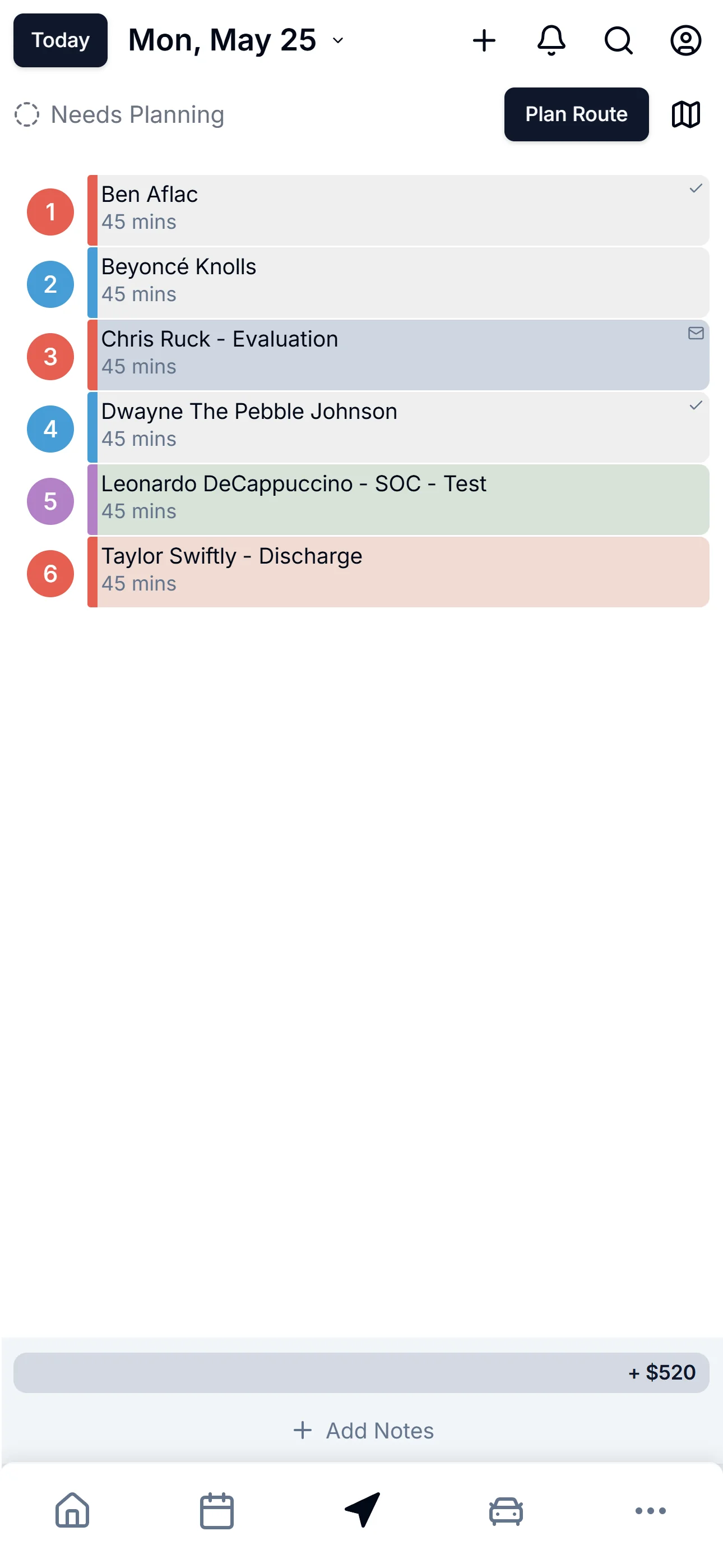
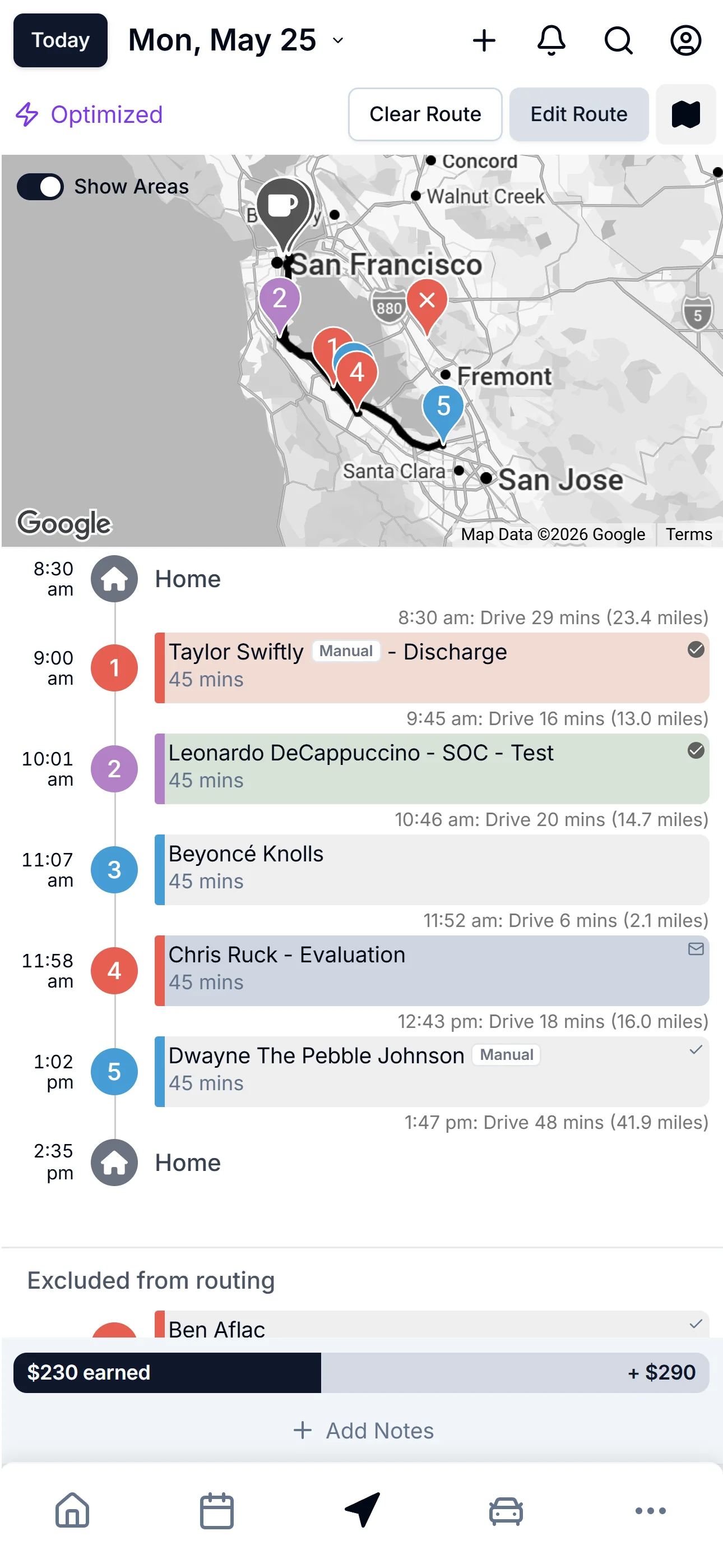
The fastest order. In one tap.
Real maps. Real pins. ZigBuddy AI sequences your day around time windows, your start point, and your home base — then drops you into Drive Mode for the windshield.
- AI route optimization that respects time windows
- Color-coded pins by notebook, tag, or status
- Service area overlays (Show Areas)
- Day Cluster view across the week
- Drive Mode: big buttons, hands-free
- Hand off to Apple Maps, Google Maps, or Waze
Let AI sort it. Or take the wheel.
Two modes, one tap apart. ZigBuddy AI handles the order around the visits you lock down — or you do every stop yourself. Switch any time.
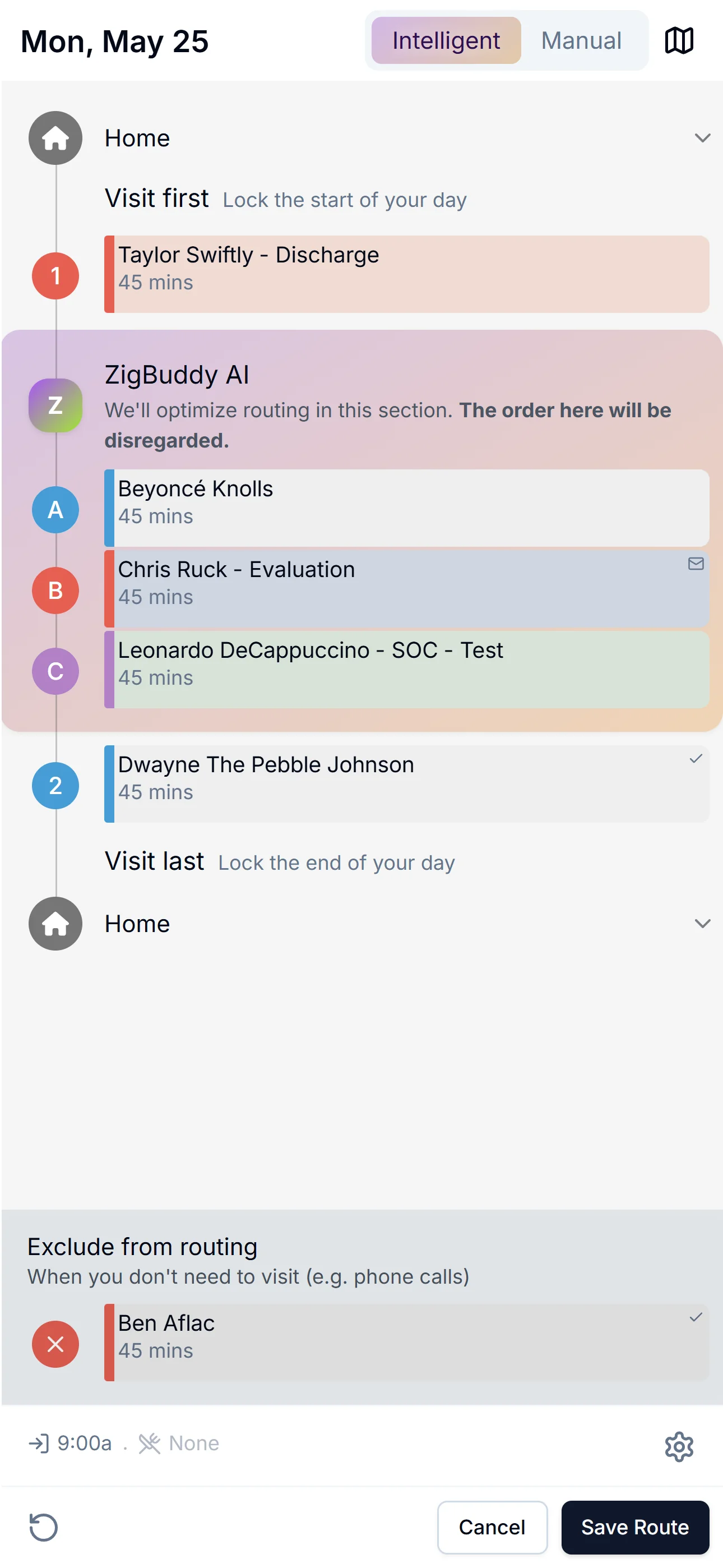
Let AI handle the order.
Lock the visits that have to go first or last — as many as you need. Exclude the phone-call ones. AI sequences everything in between, around time windows, your start, and your home base.
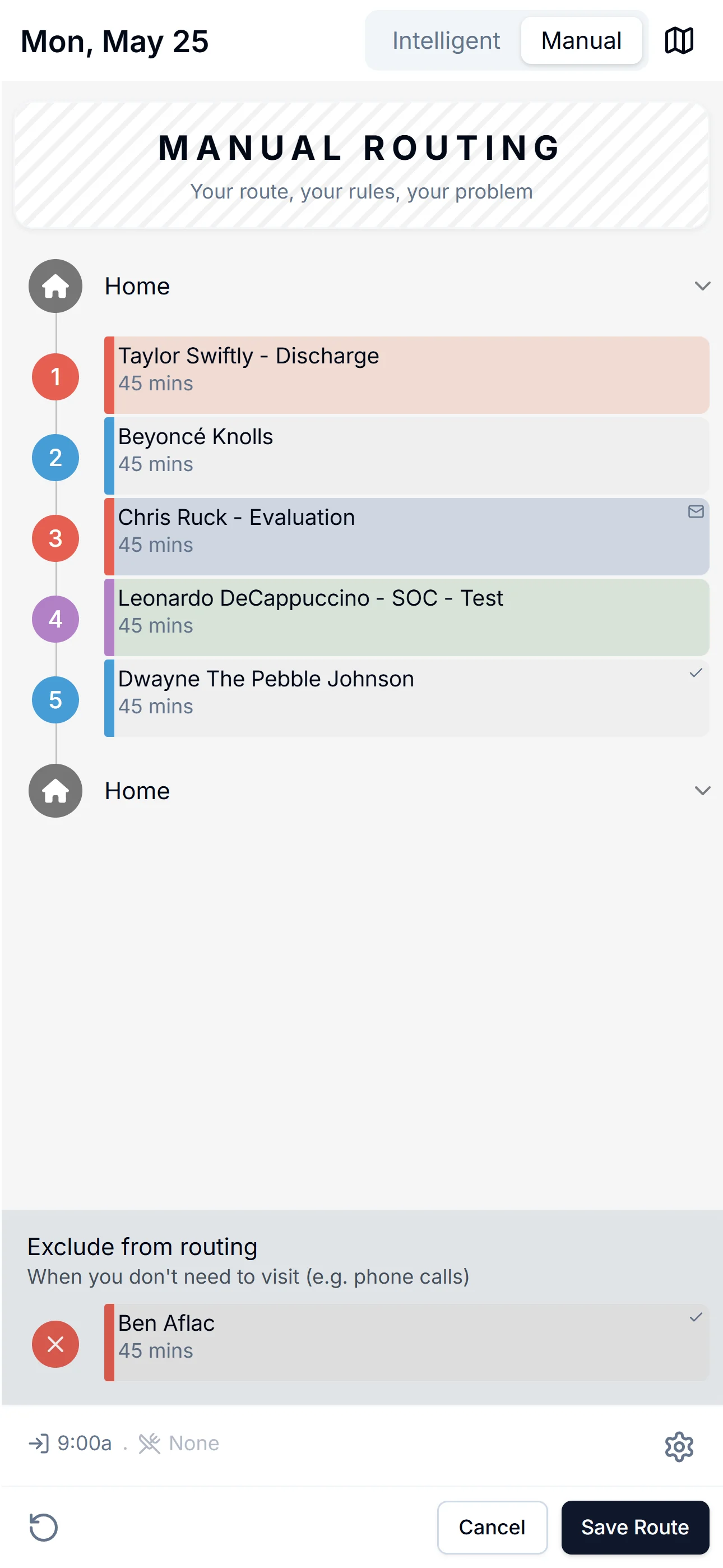
Or take the wheel.
Manual mode drops the AI guardrails. Drag, drop, lock — your route, your call.
A day on ZigBuddy, hands-free.
Drive Mode is the windshield view. Big buttons, one stop at a time, the next address always queued. Scroll through a day.
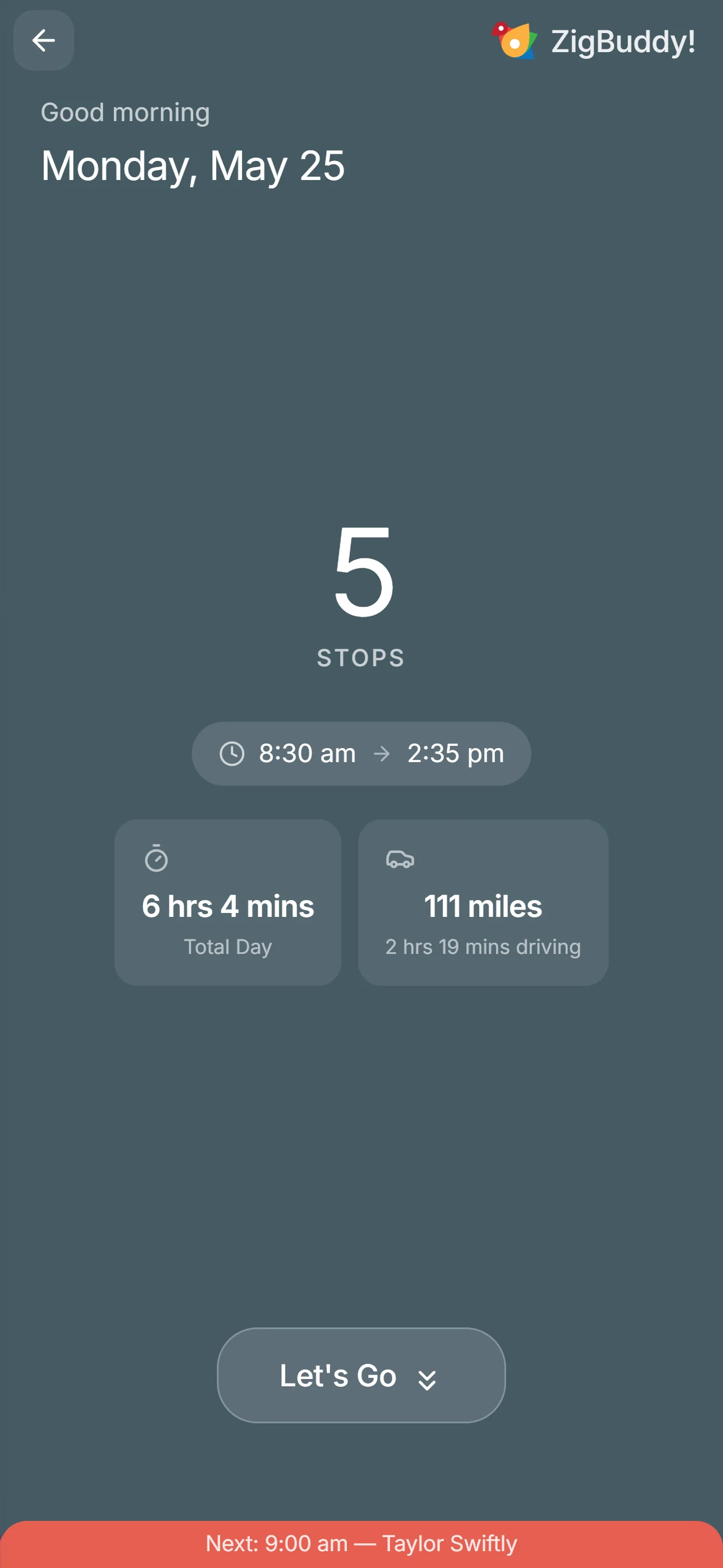
8:30 am
Good morning. Let's go.
5 stops, 111 miles, back by 2:35 pm. The whole day, sized up before you turn the key. One button to start.
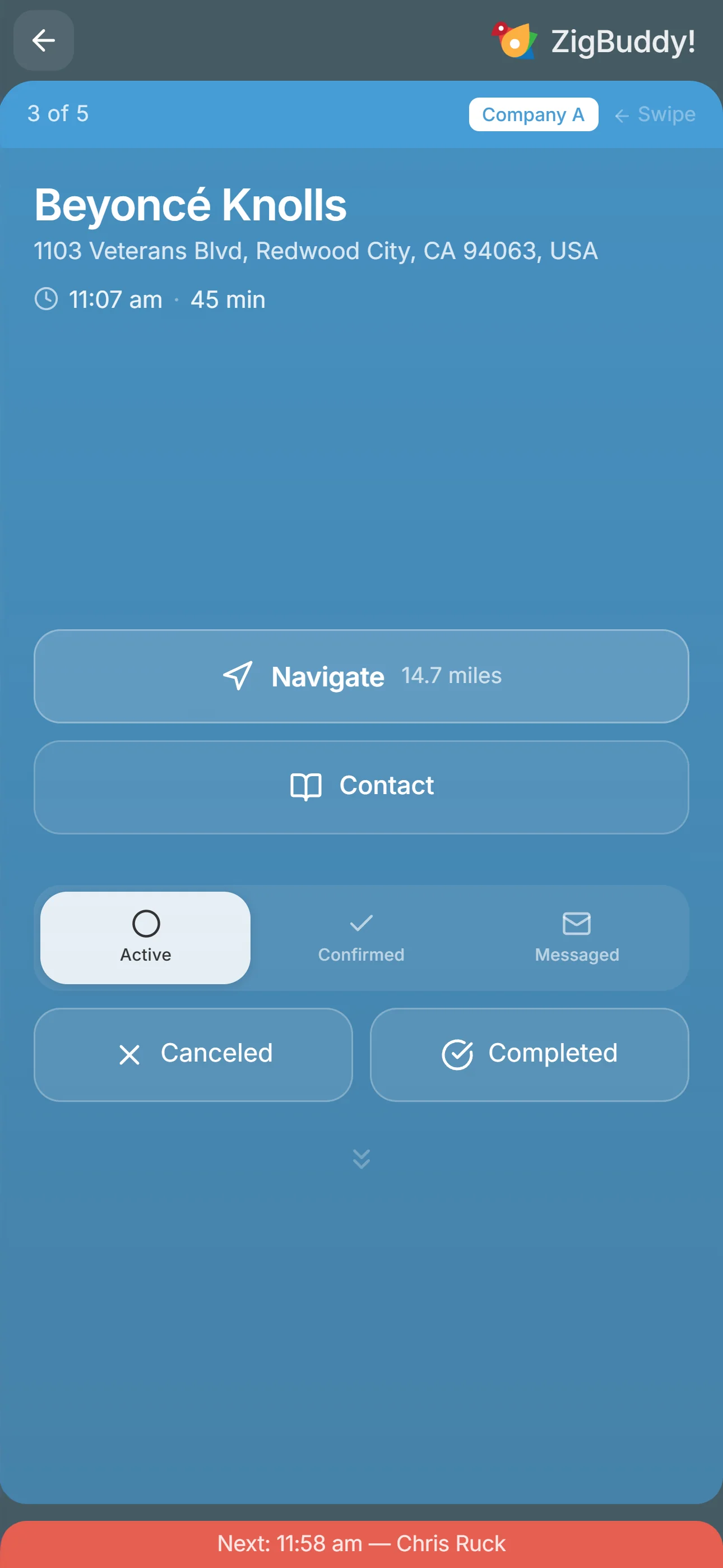
11:07 am
Stop 3 of 5.
Beyoncé Knolls, 14.7 miles. One tap to Navigate, one tap to text "On my way." Status set with a thumb without taking your eyes off the road.
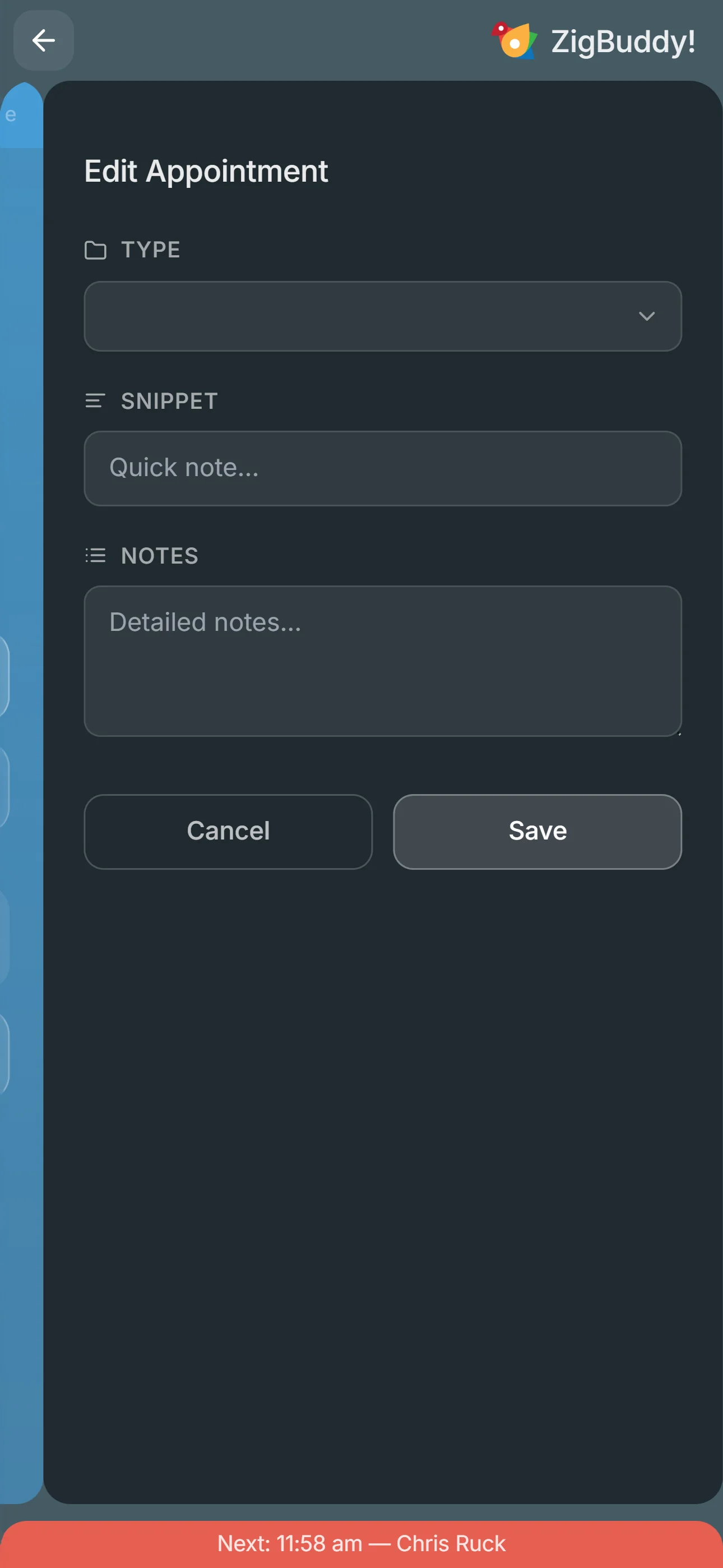
Between stops
Notes without breaking flow.
A snippet. A type change. A quick "patient mentioned dizziness." Drop it in and keep driving. Auto-syncs to the patient's record.
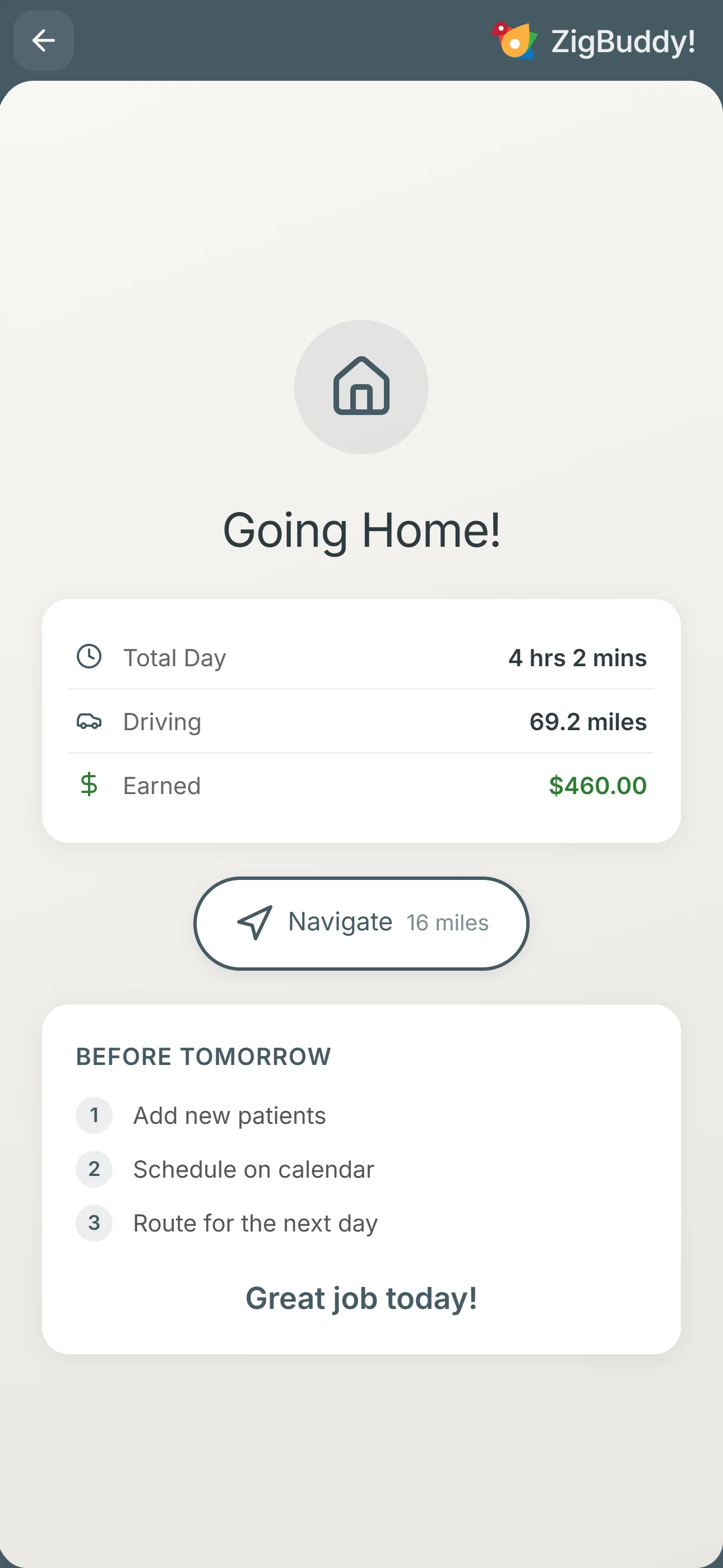
2:35 pm
Going home. $460 earned.
"Great job today." Tomorrow's pre-flight checklist is already on the next screen — add new patients, schedule, route. Closes the loop.
Your service area, at a glance.
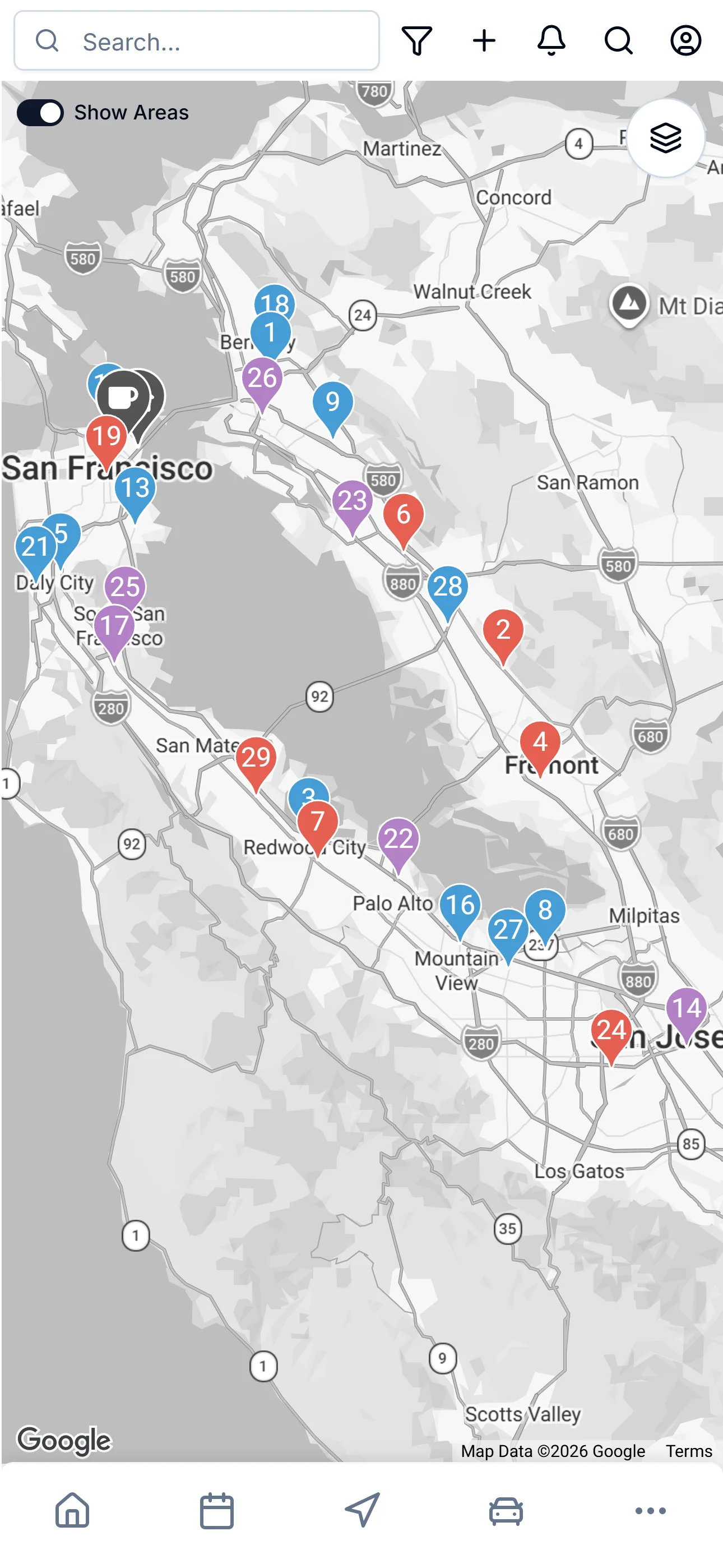
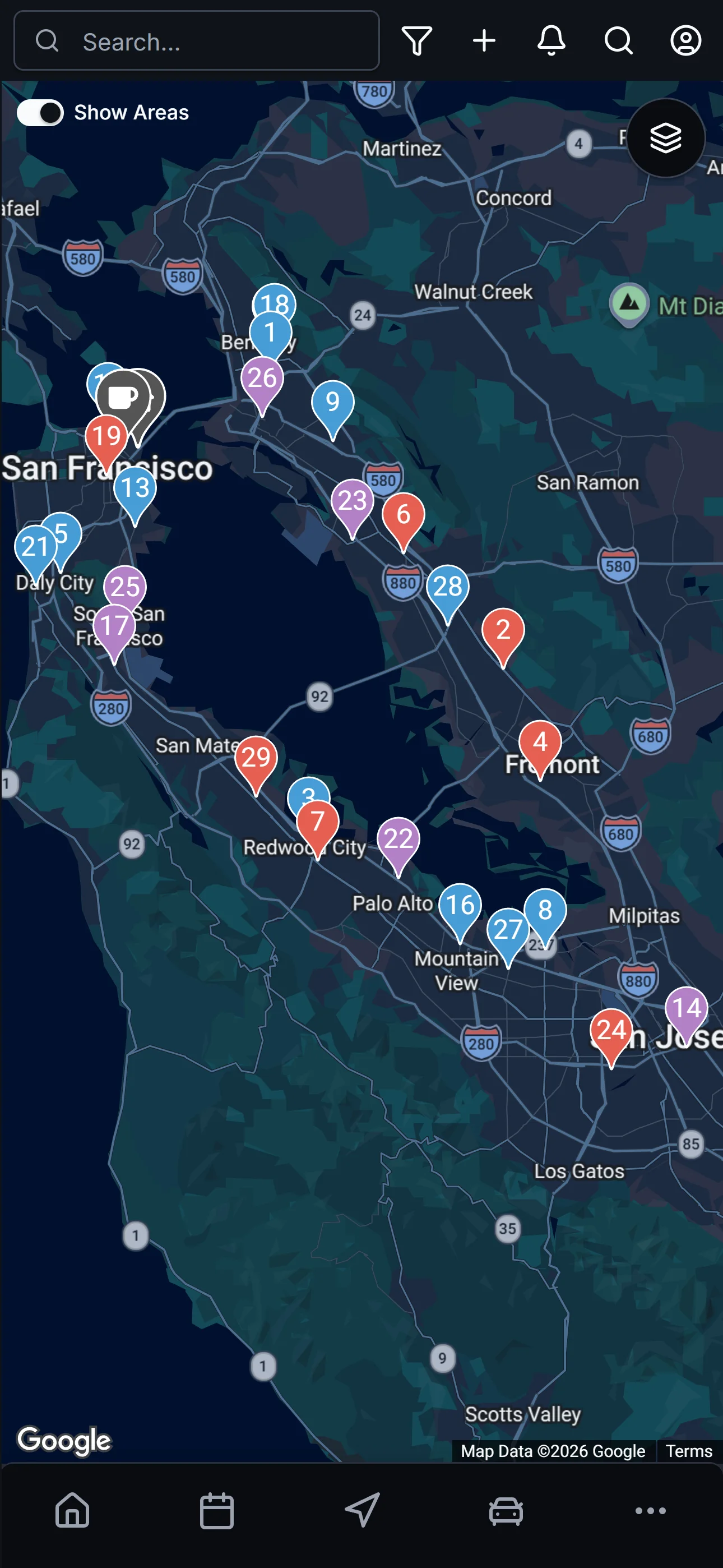
Every active patient pinned on a real map. Color-coded by notebook (your agencies). Toggle Show Areas for service-area overlays. Pull-to-search from the top.
And yes — Map looks just as good in dark mode, the way you actually use the app on a 6 a.m. start.
Four superpowers, exactly where you need them.
Not a chatbot. Contextual magic-button moments — embedded right inside the screens where you'd otherwise click for ten minutes. Every AI action shows a preview first; you apply only what you want.
Tap any card to see the preview AI hands back before you commit.
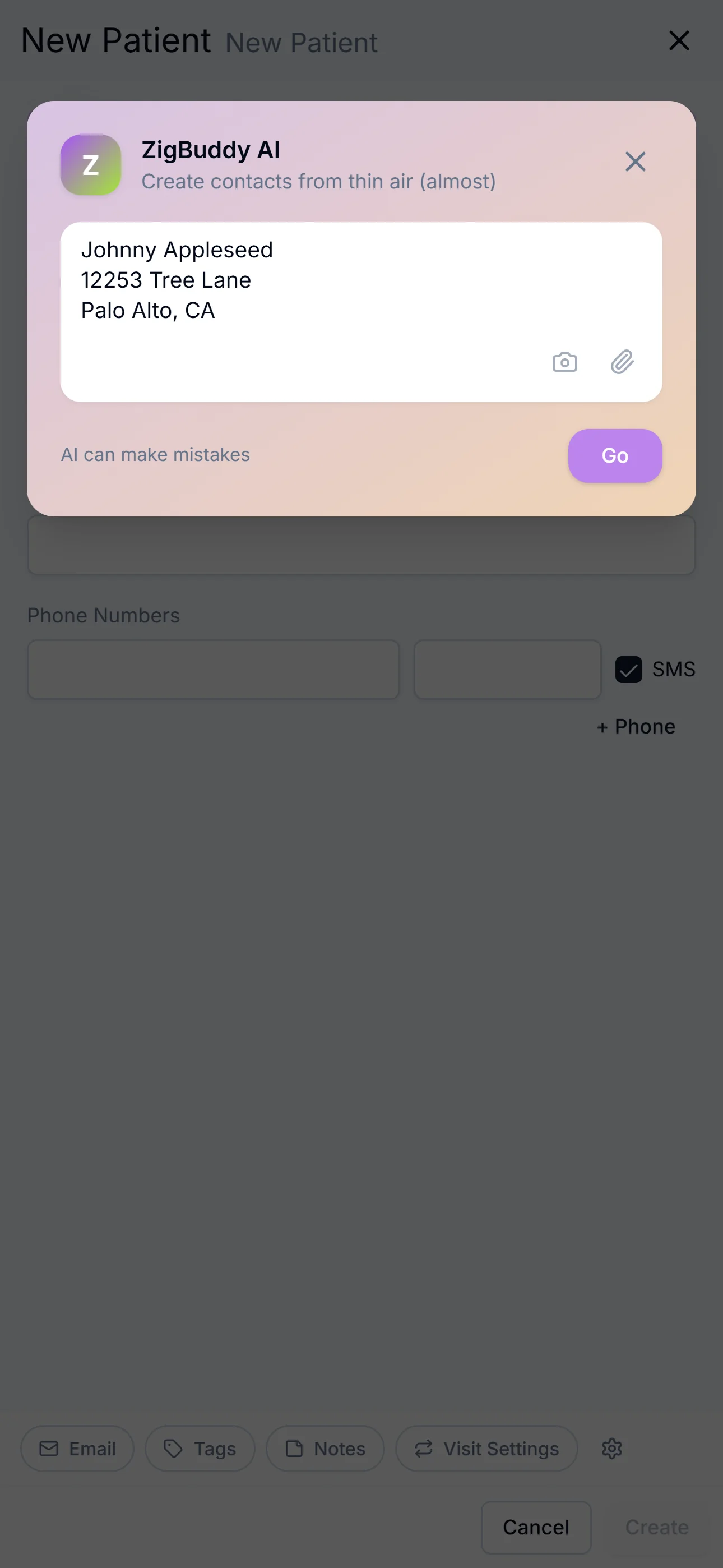
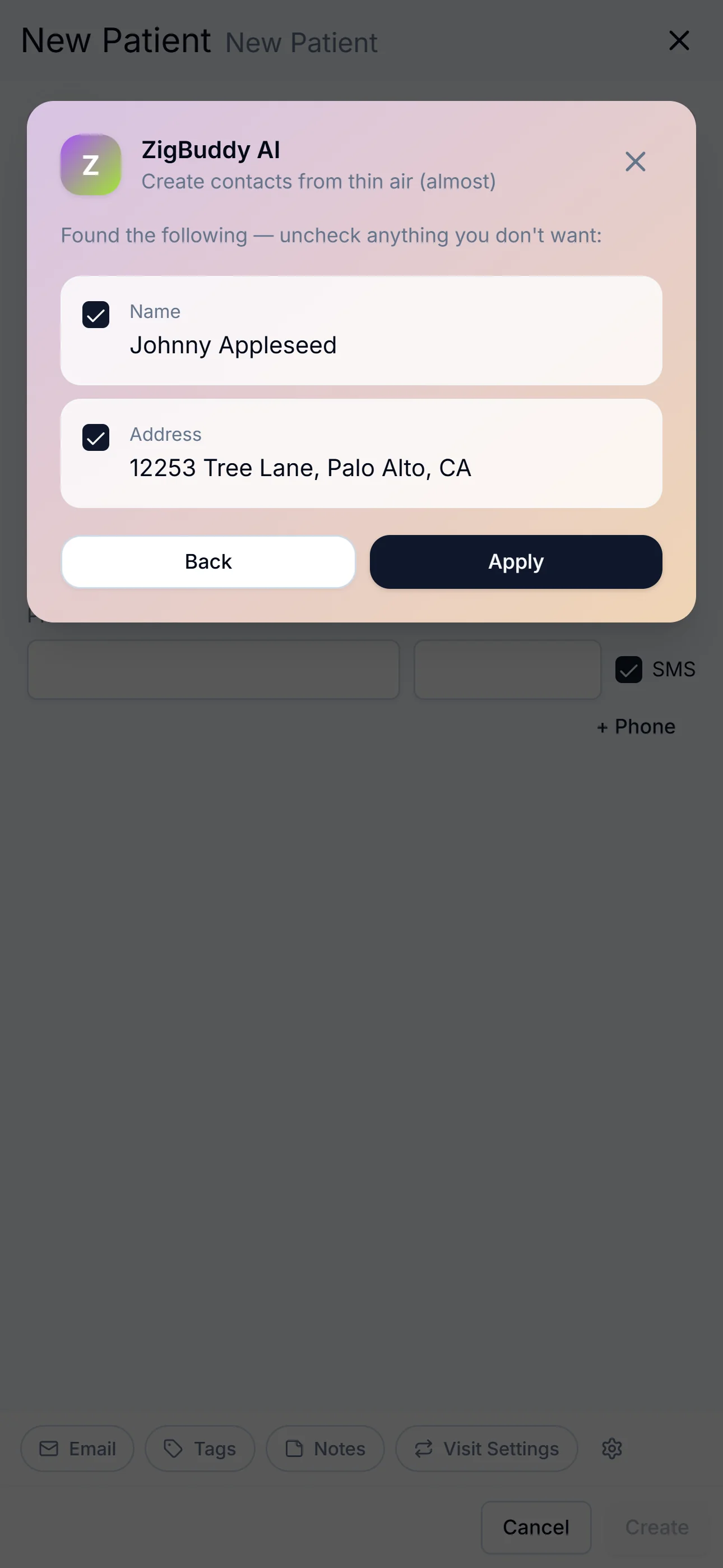
Create patients from thin air.
Paste a referral, snap a fax, screenshot an email. AI fills the form — you uncheck anything you don't want before saving.
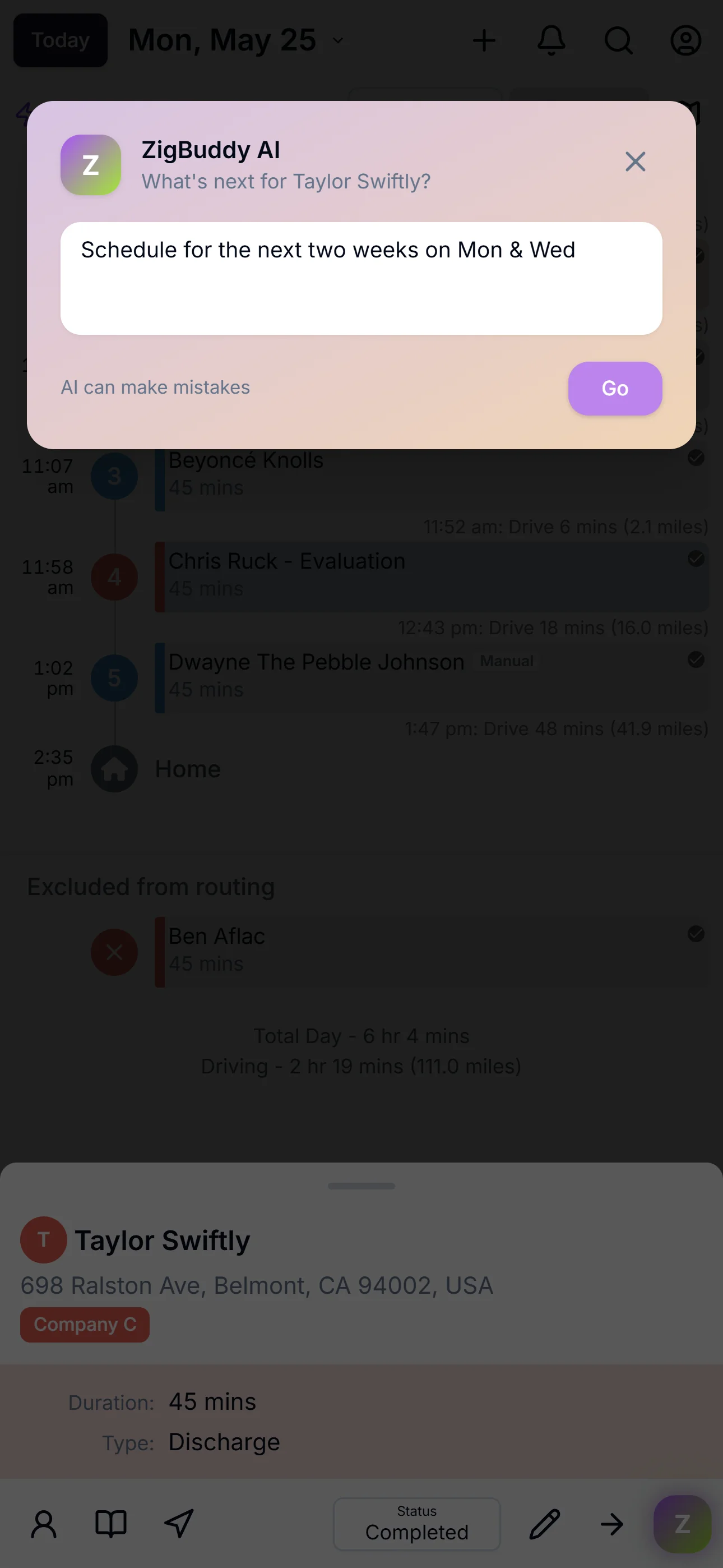
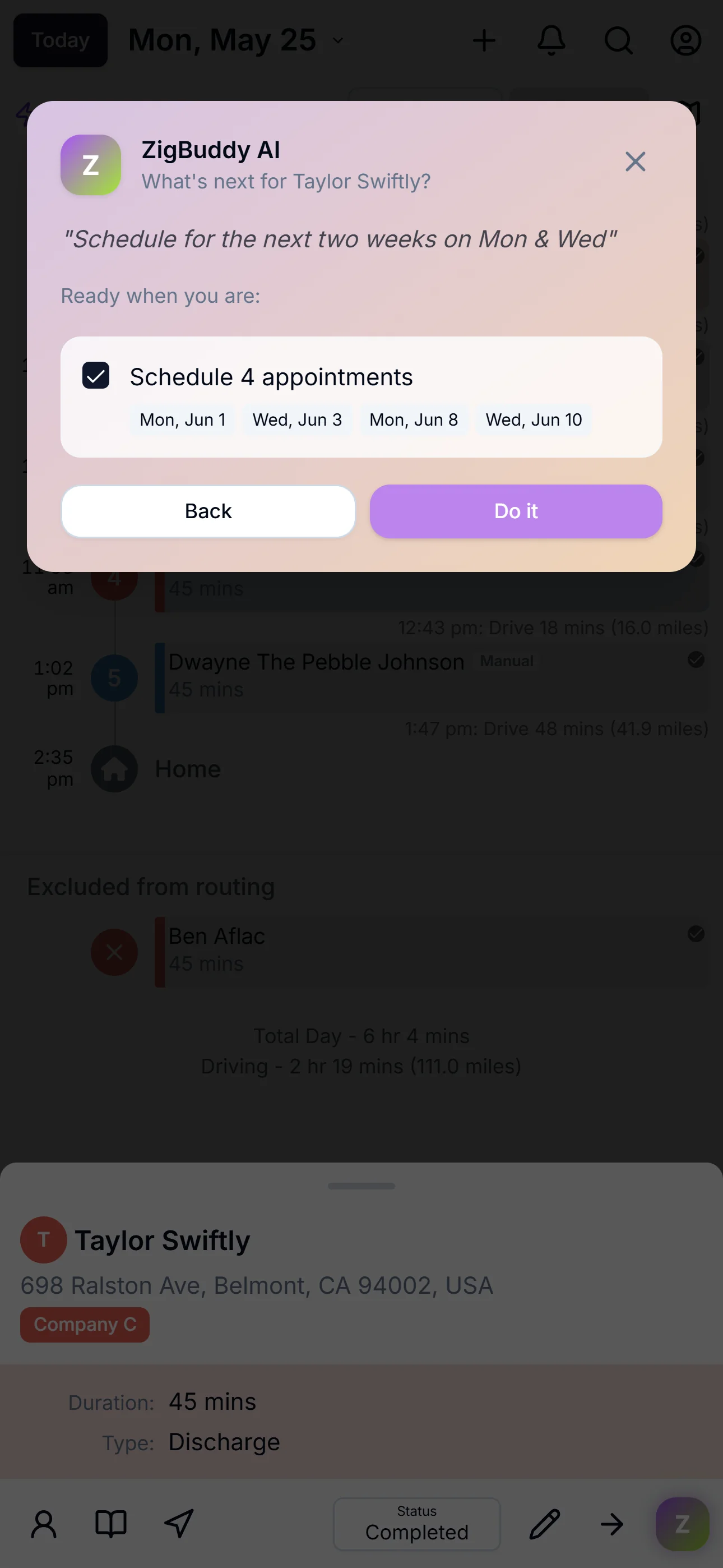
Schedule visits with words.
"Schedule Taylor for the next two weeks on Mondays and Wednesdays." AI proposes each appointment. You hit Do it.
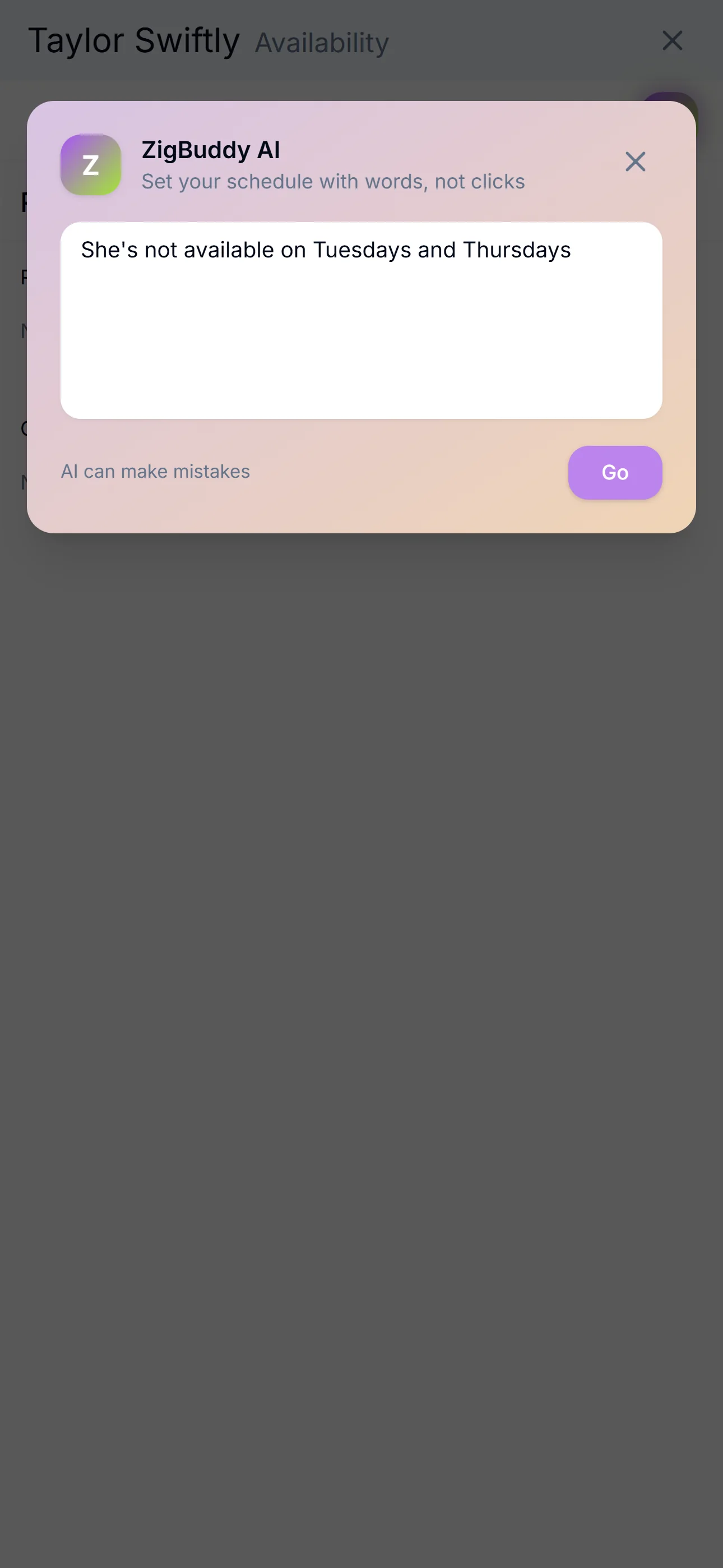
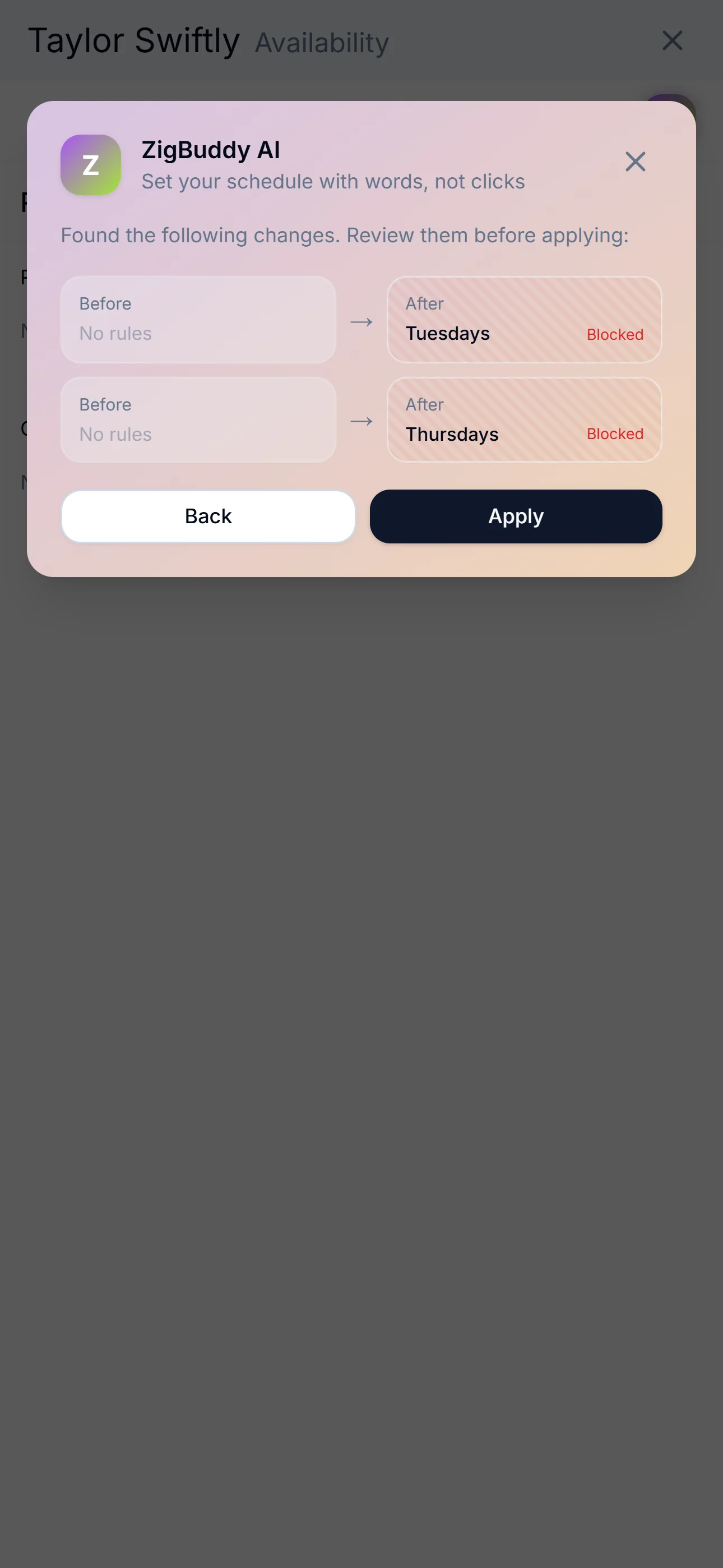
Set availability the way you'd say it.
"Never Mondays." "Block Jan 4 through 15." "She works mornings only." AI builds the recurring or one-time rule.
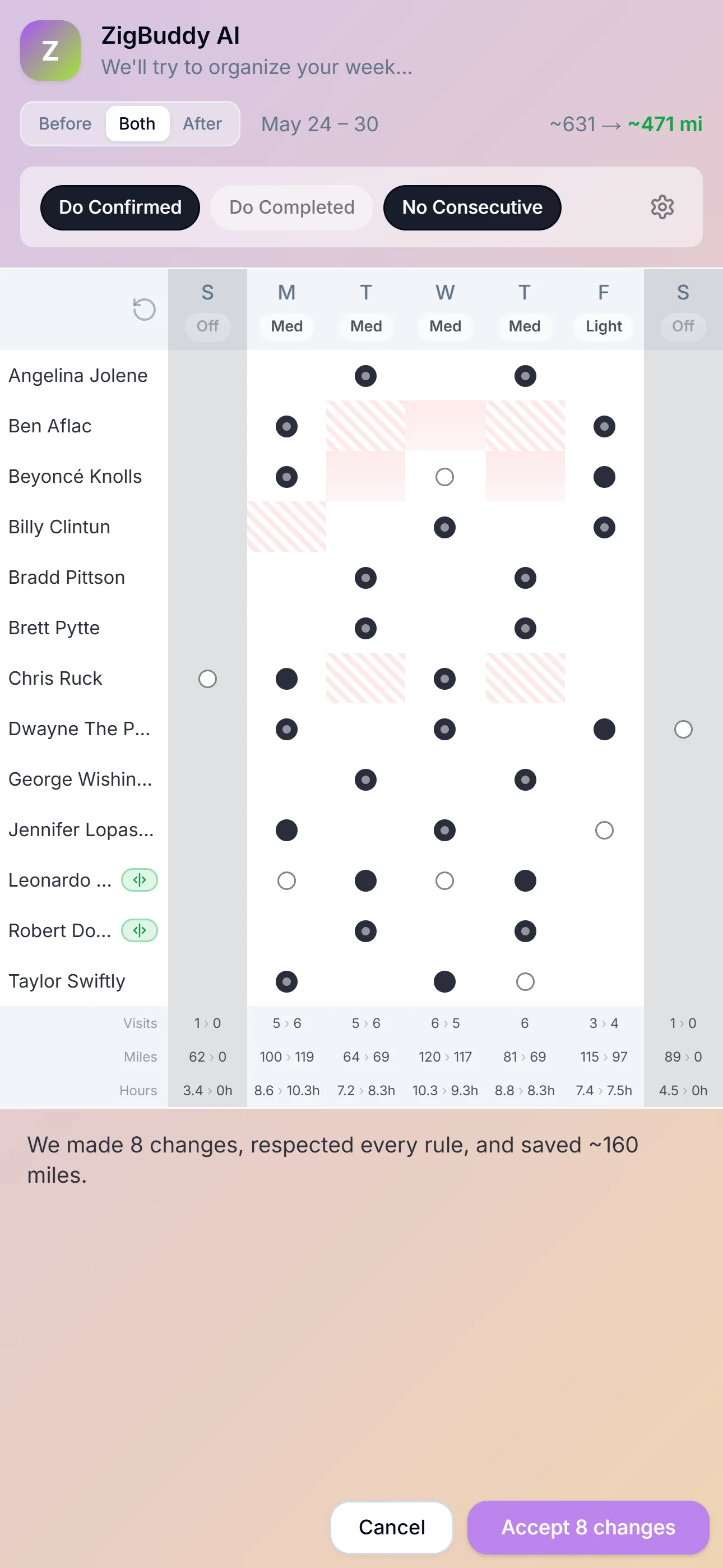
Reshuffle the whole week in a tap.
Organize Week proposes a better arrangement around availability, time windows, and home base. Before / After side by side — accept what you like.
One patient list. Three densities.
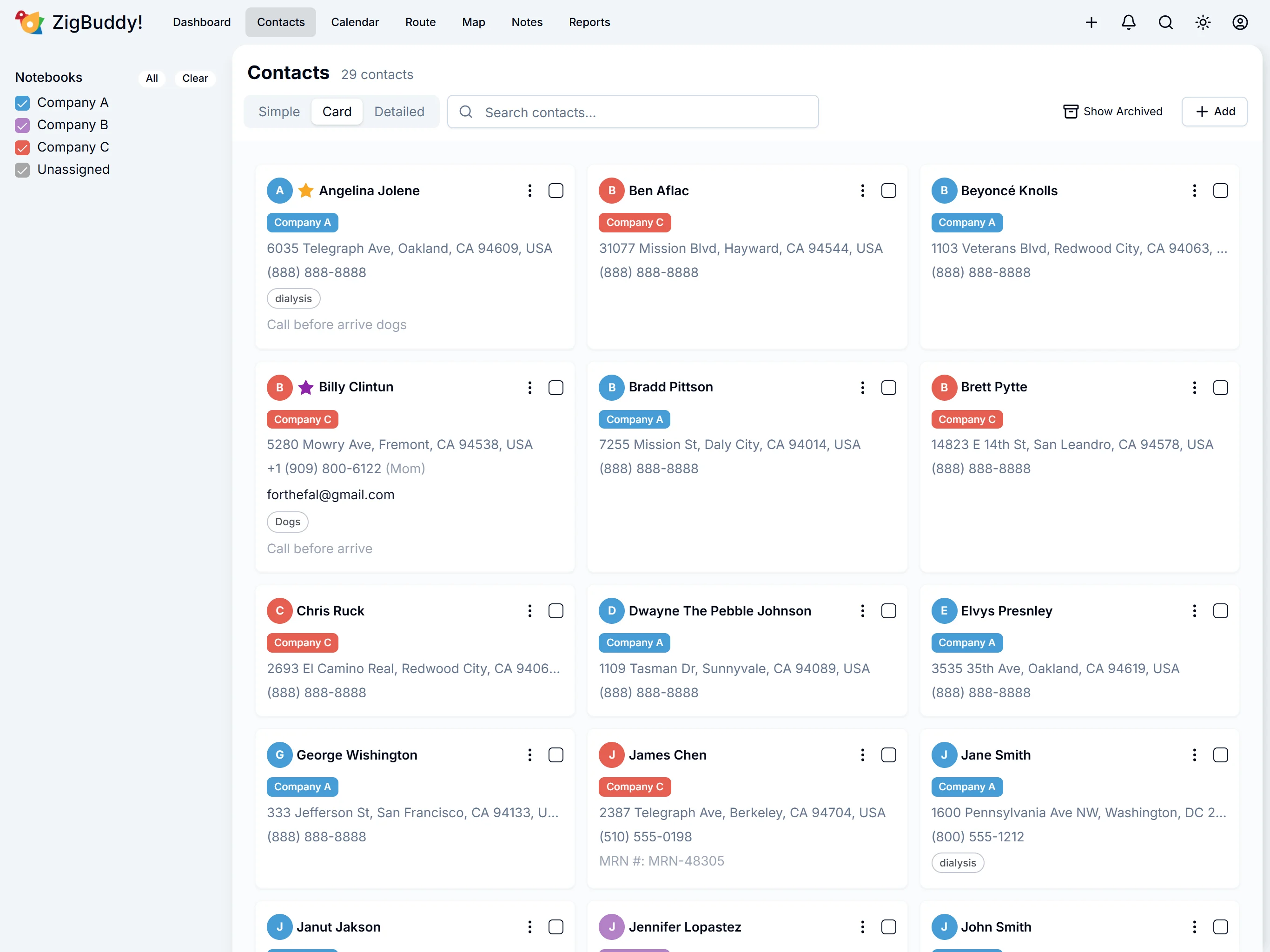
Tap the layout that fits the moment — the whole roster at a glance, or every field in a sortable table.
Tap to switch the phone
- Per-patient notes, tags, photos, and pinned info
- Patient Portal link copy from any patient card
- Search across every field — name, address, phone, tag
- Bulk import from CSV or your last app
- Archive or delete — your call
- Star VIPs; color-code by notebook for instant scanning
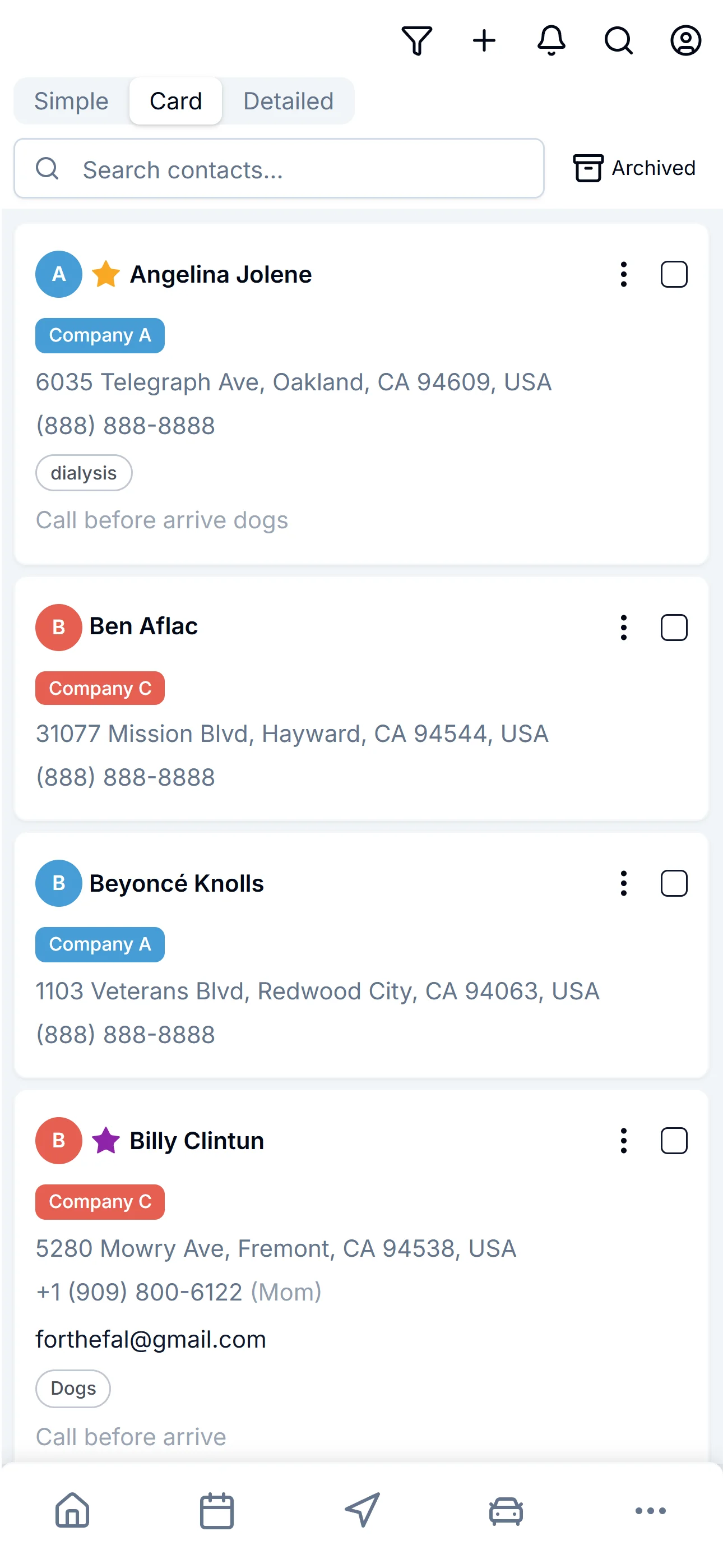
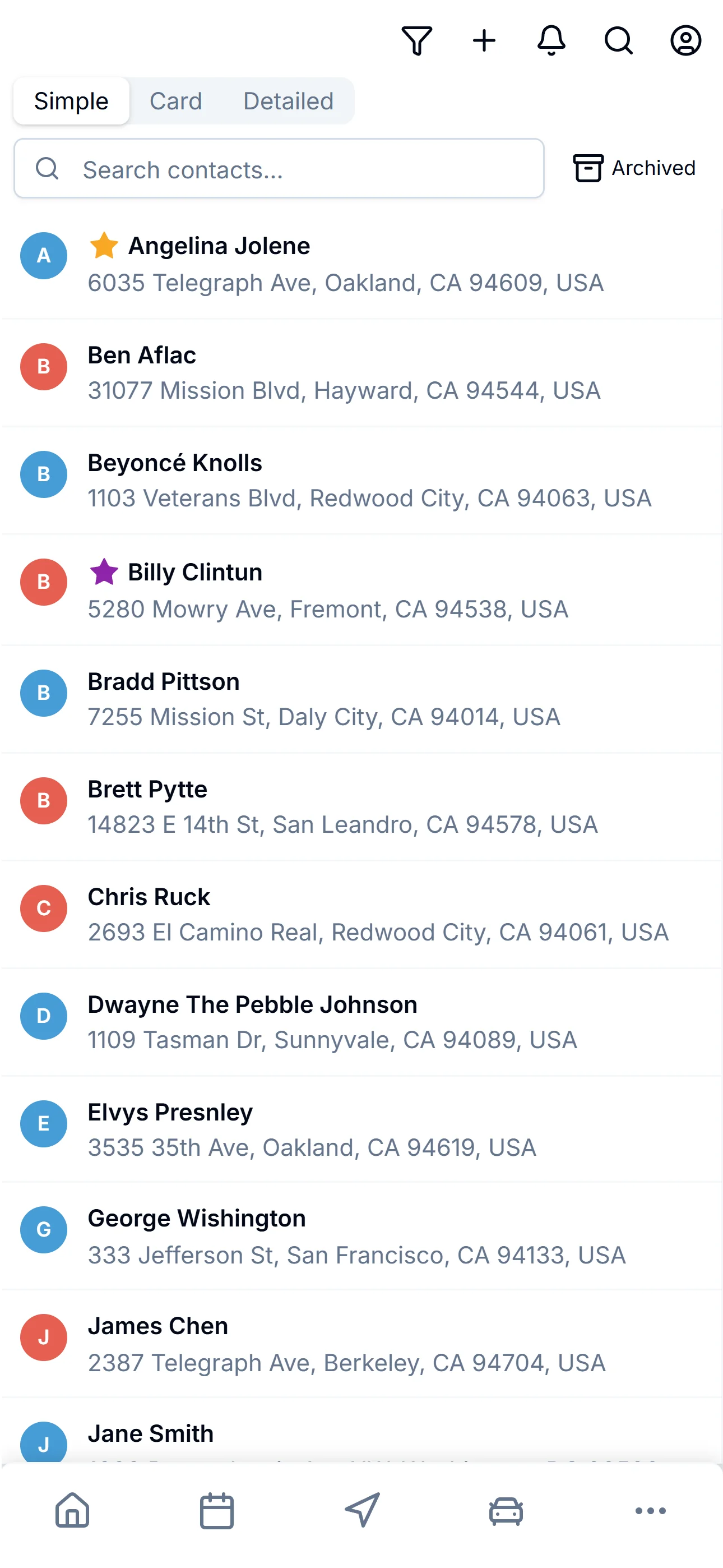
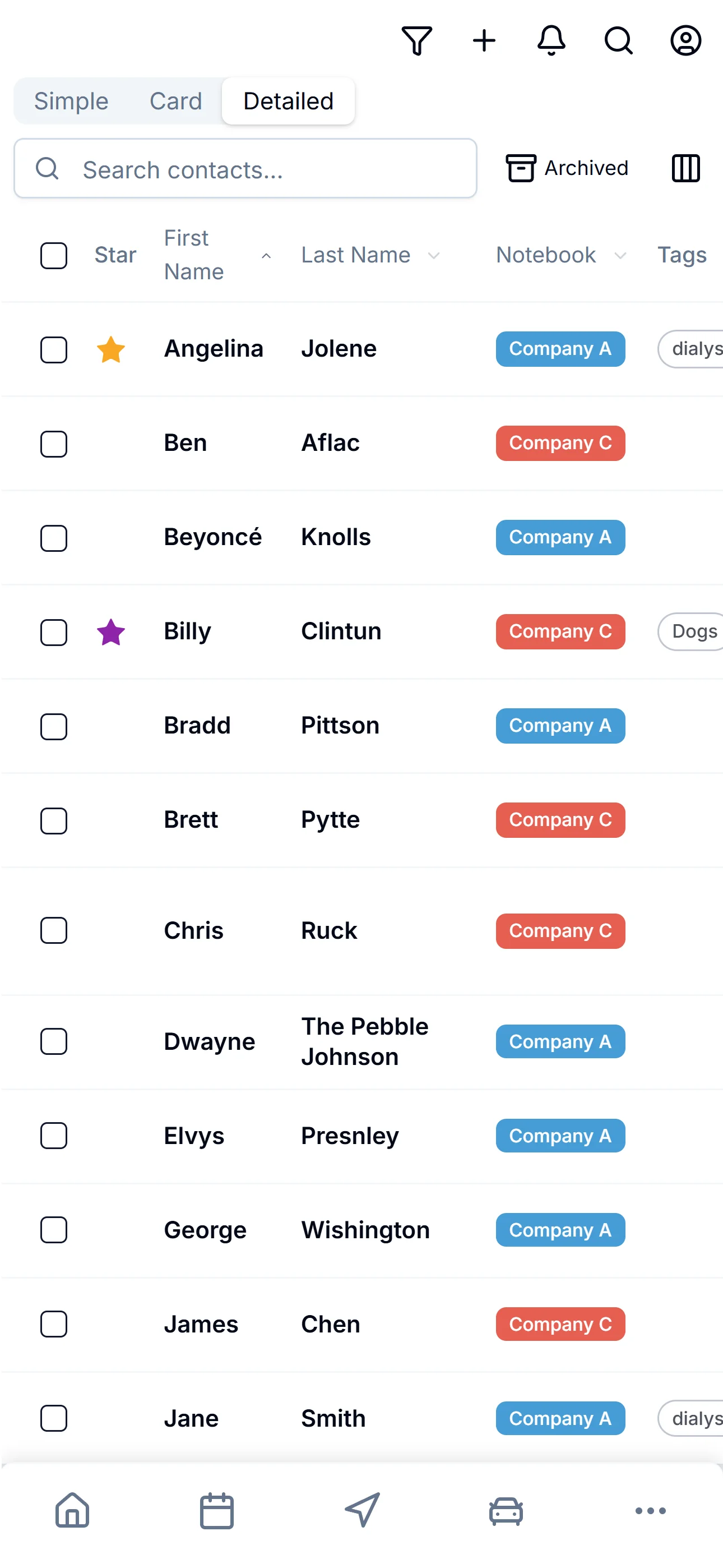
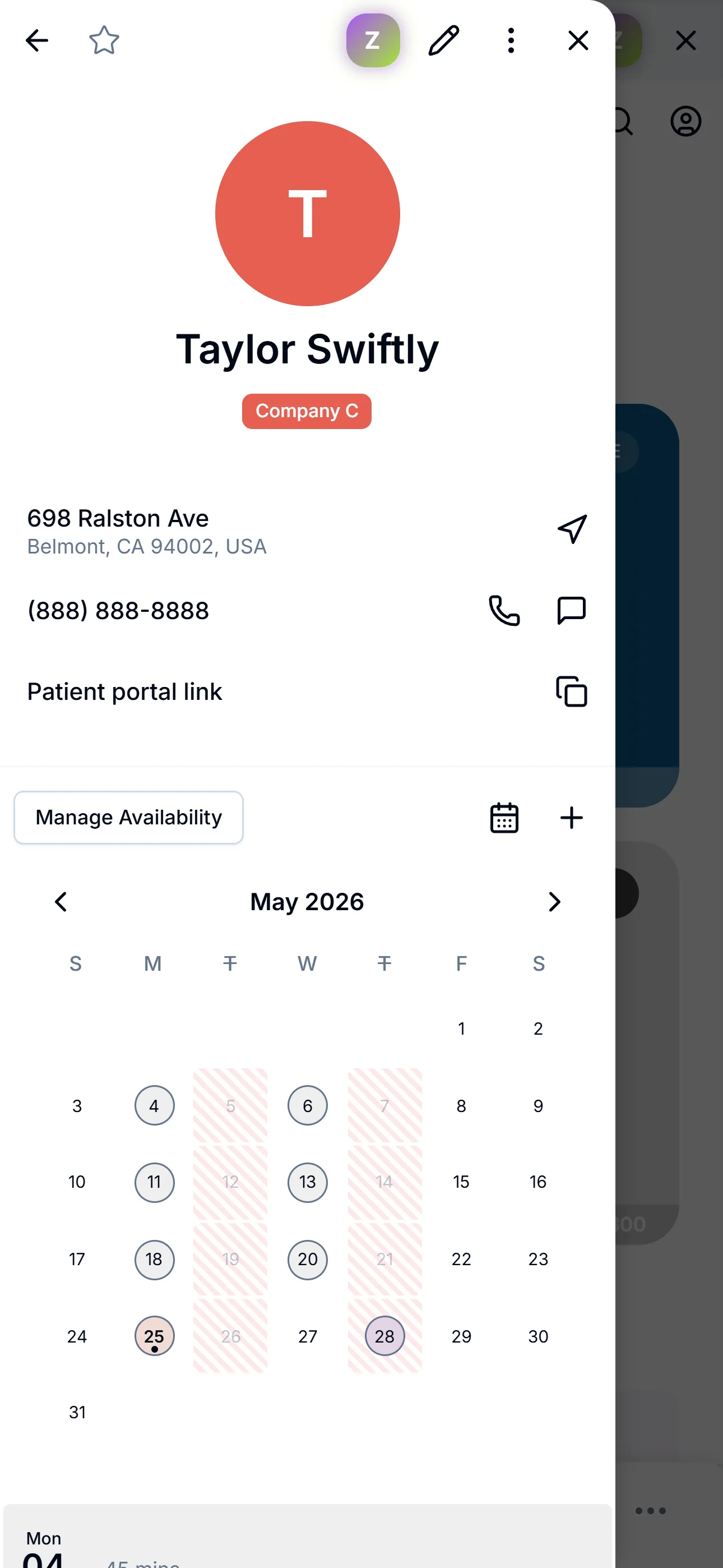
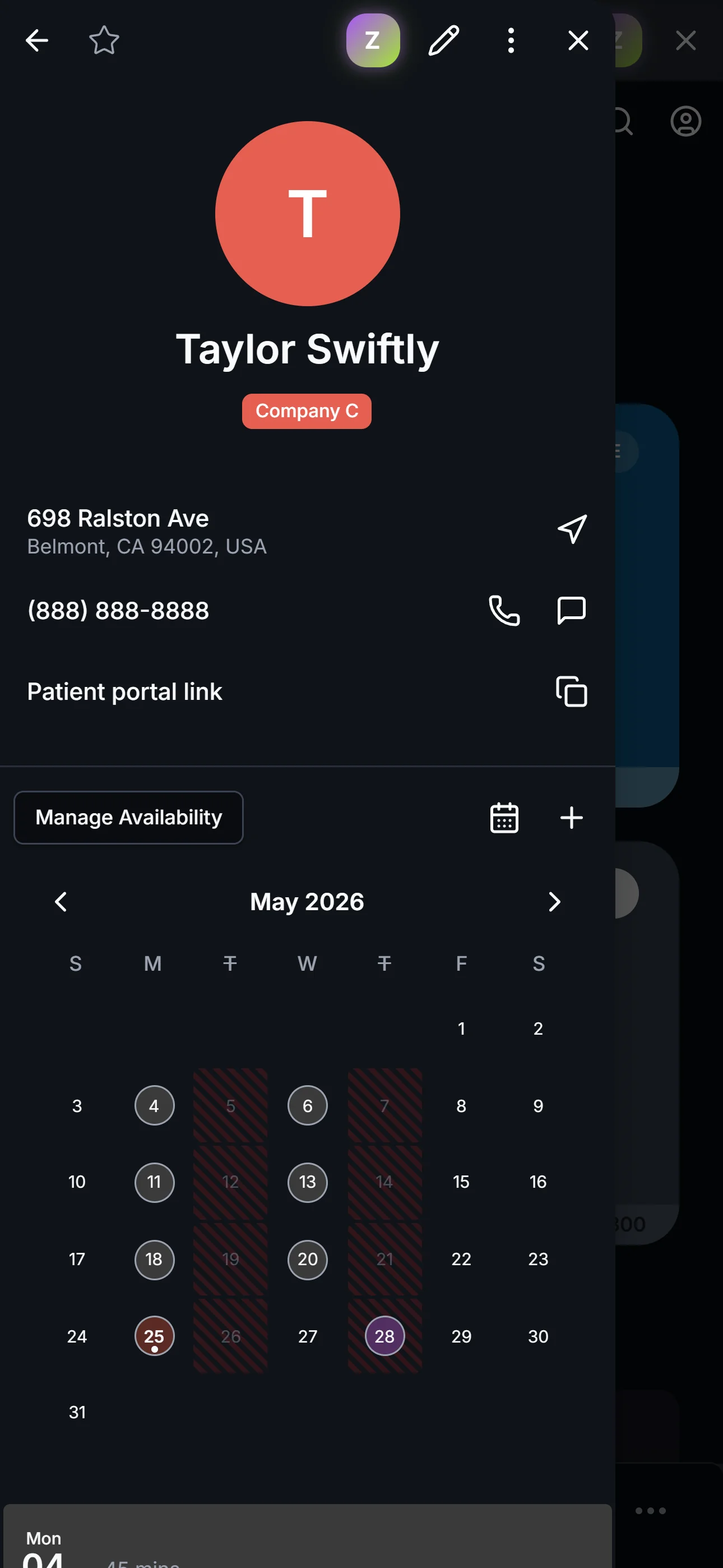
Tap in for the whole picture.
Every patient has a full profile a tap away — notes, tags, photos, every phone number, the address you actually drive to. Light or dark — switch any time.
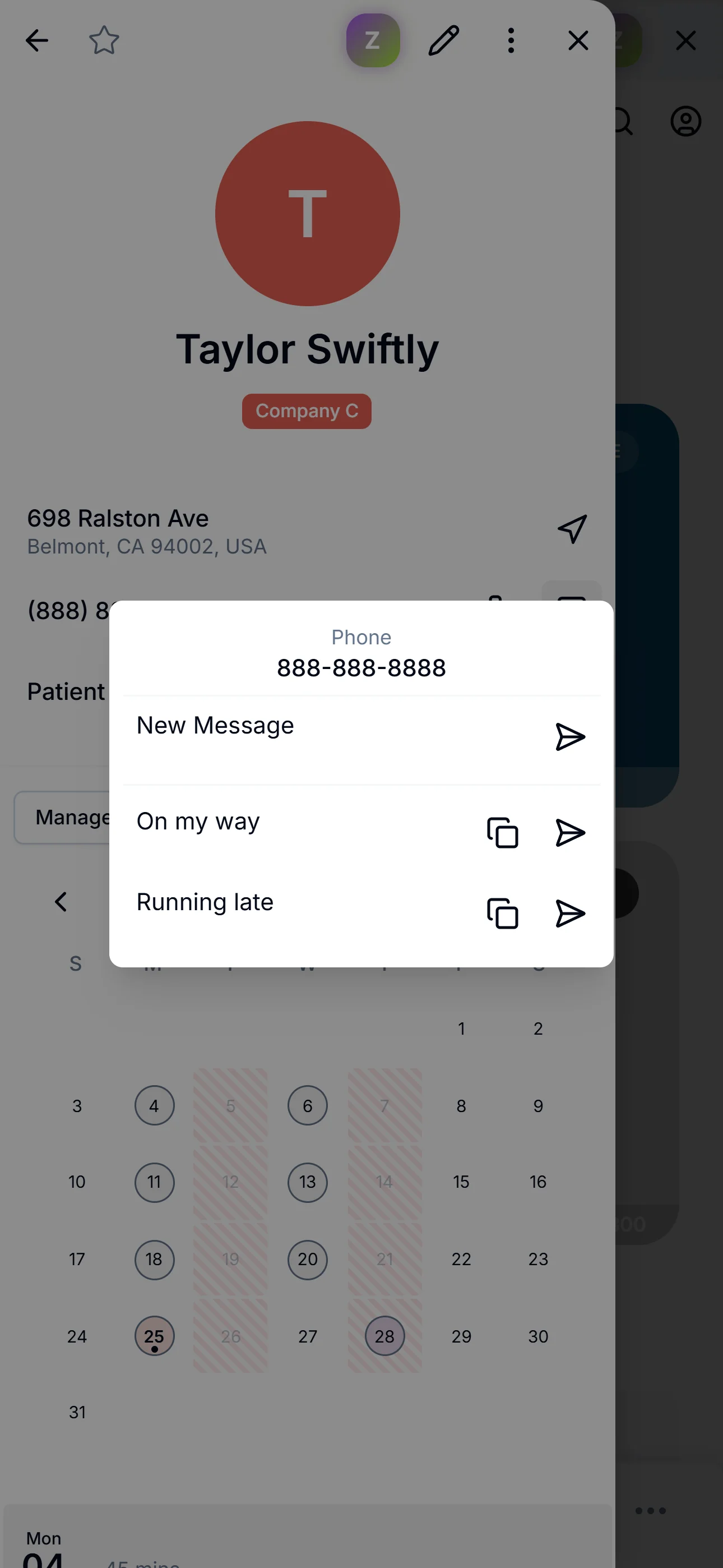
“On my way.” Two taps.
Write the messages you send fifty times a week — once. “On my way,” “Running late,” “Be there in ten,” whatever you say the most. Tap the message icon next to any patient’s phone, pick a template, the text opens pre-filled. Hit send.
- Build your own library of templates — as many as you want
- Copy or send — your choice
- Works mid-drive in Drive Mode too
The whole roster, room to breathe.
Open ZigBuddy in any browser when you're at your desk. Same patients, more screen — bulk edits, paste-in import, side-by-side comparisons.
Three views, one canvas.
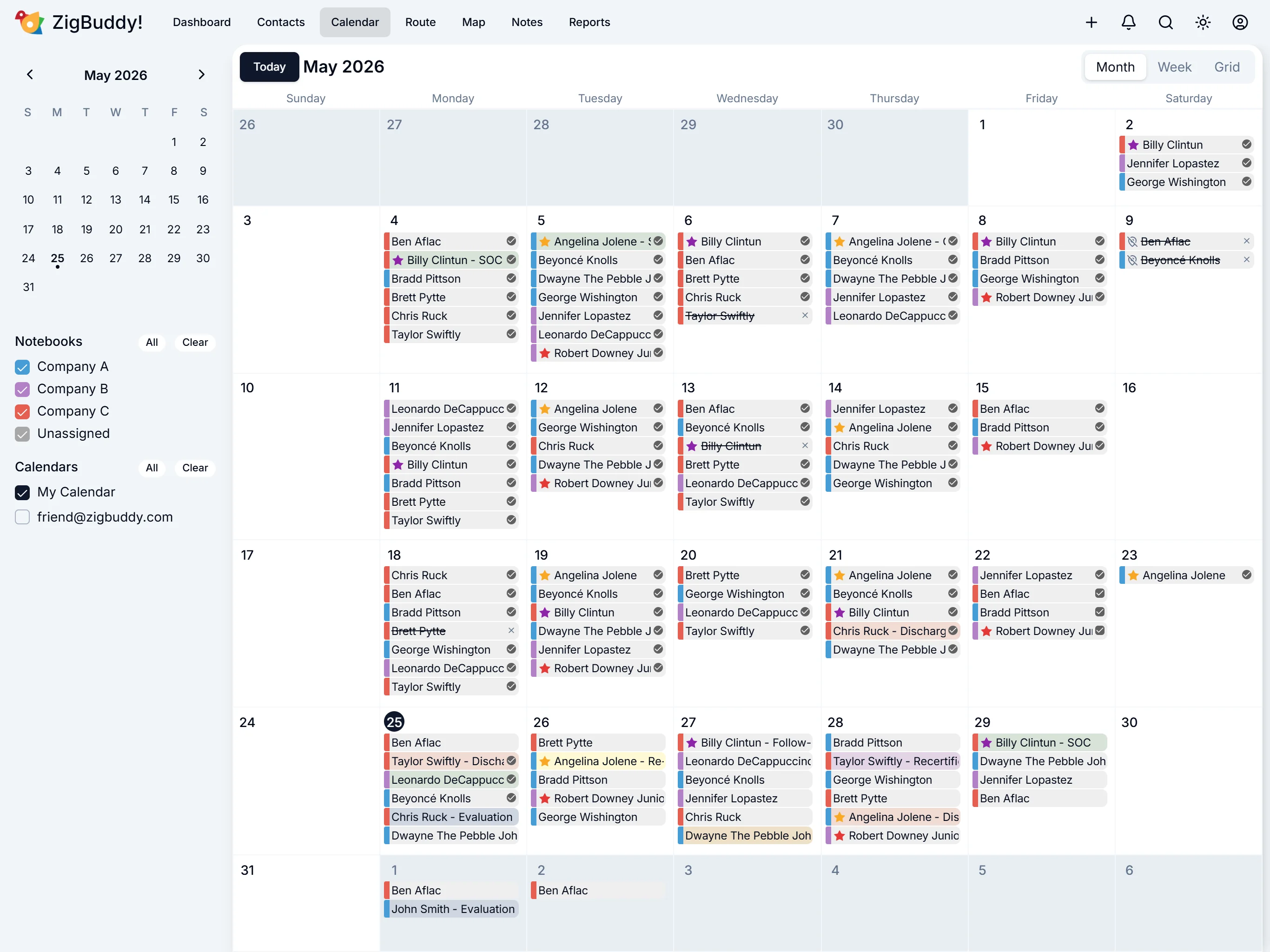
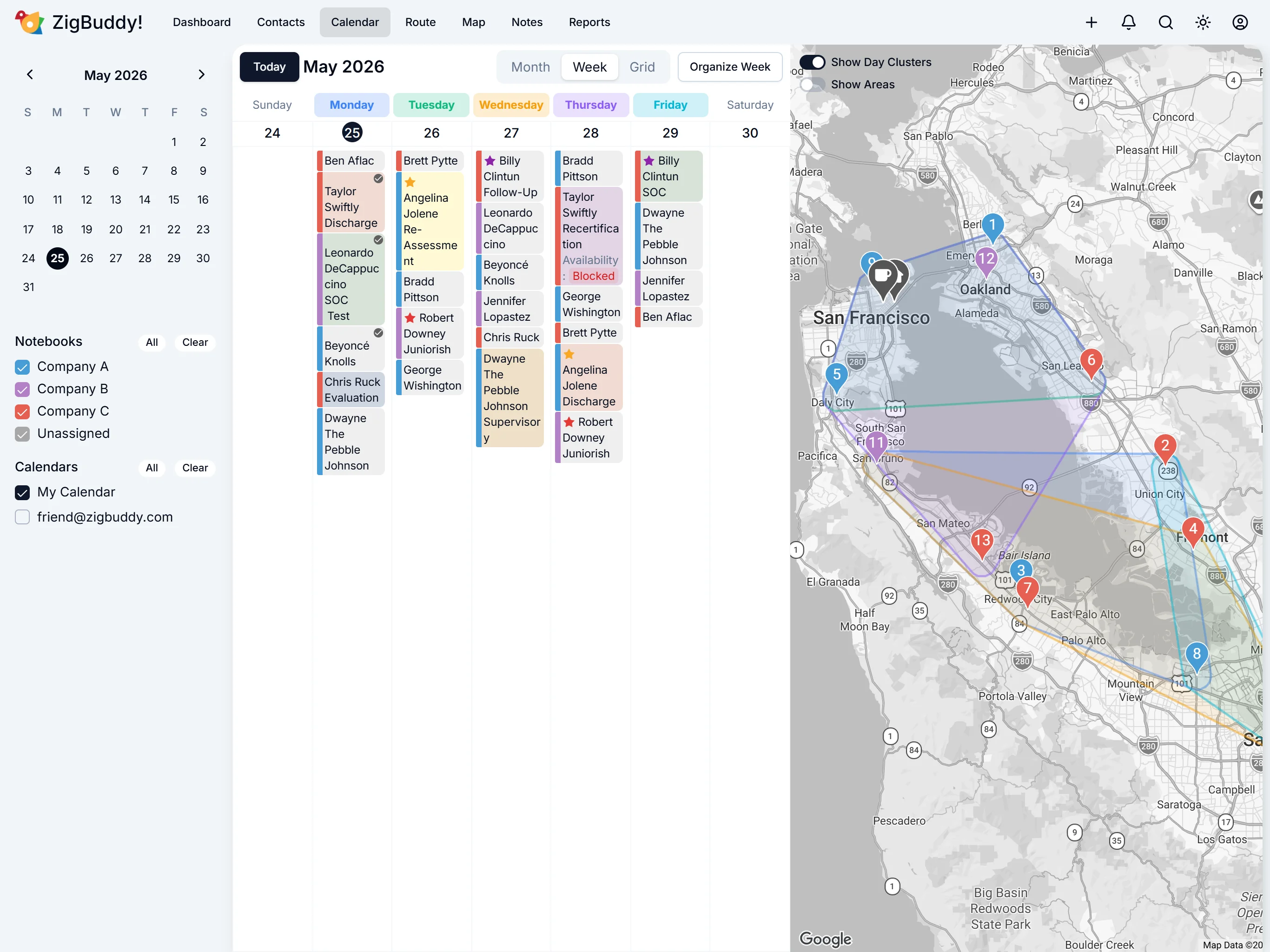
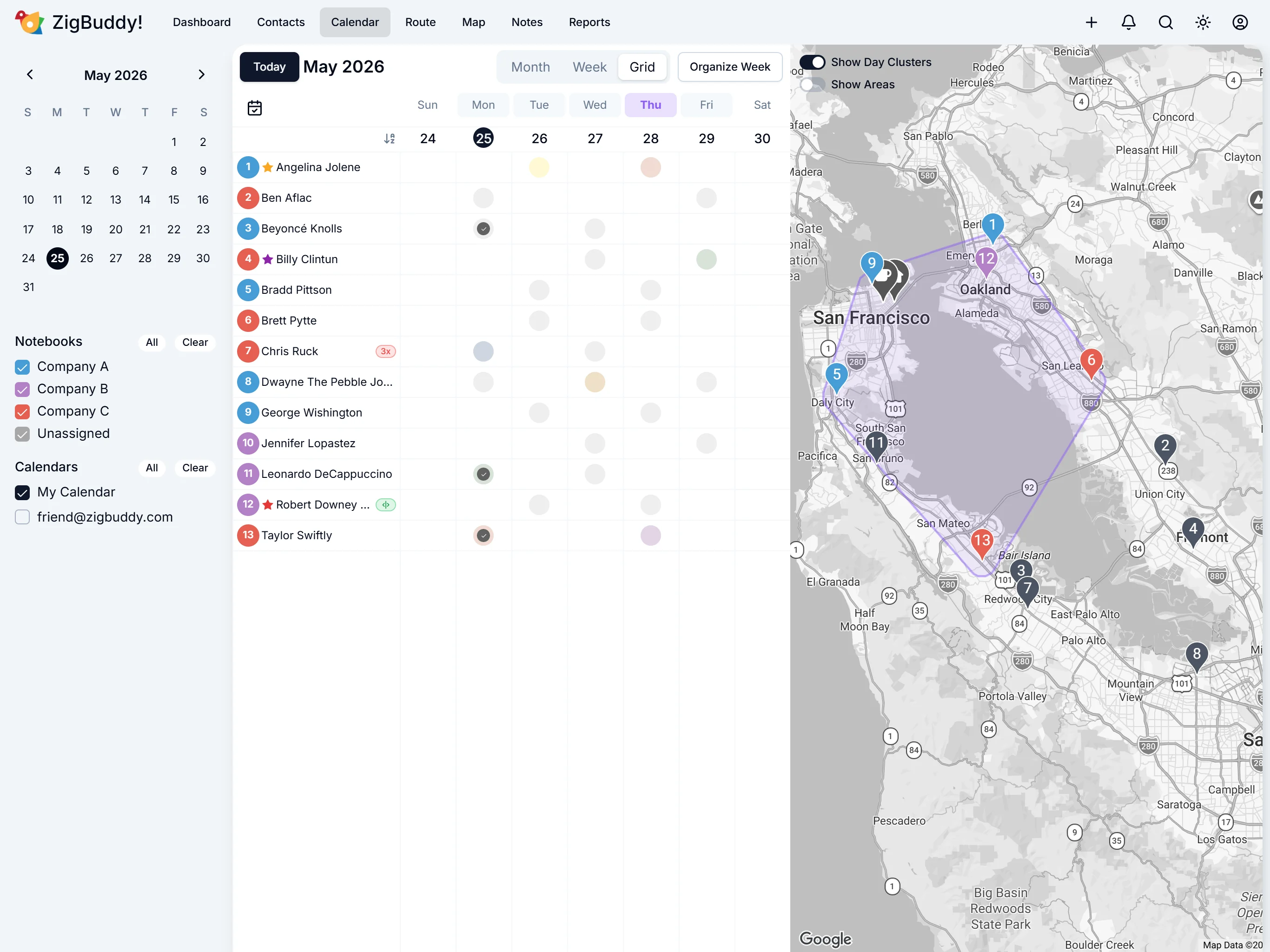
Month for the bird's-eye. Week for the working view. Grid for patients-across-days. Different question, different view — pick what helps.
Tap a view
- Drag and drop visits between days
- Notebooks group patients by agency
- Availability conflicts surface as you drag — override when you need to
- Filter by notebook
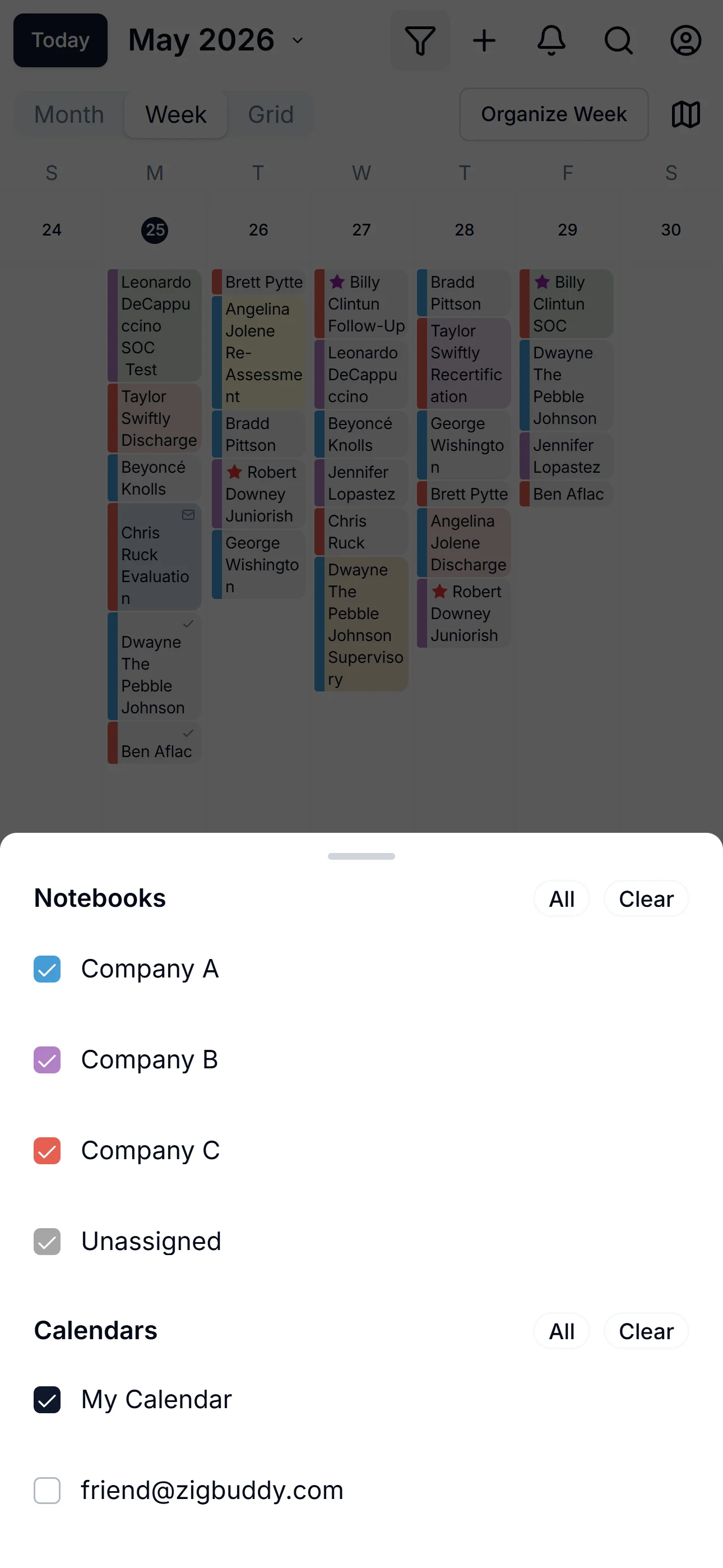
See only what matters this week.
Working four agencies? Toggle three off and just see one. Filter the week by notebook so the visit you’re thinking about isn’t buried under everything else. One tap to focus, one tap to bring it all back.
- Toggle any notebook on or off — focus on one agency at a time
- Works on every calendar view — Month, Week, and Grid
- Only changes what you see — nothing’s deleted, nothing un-syncs
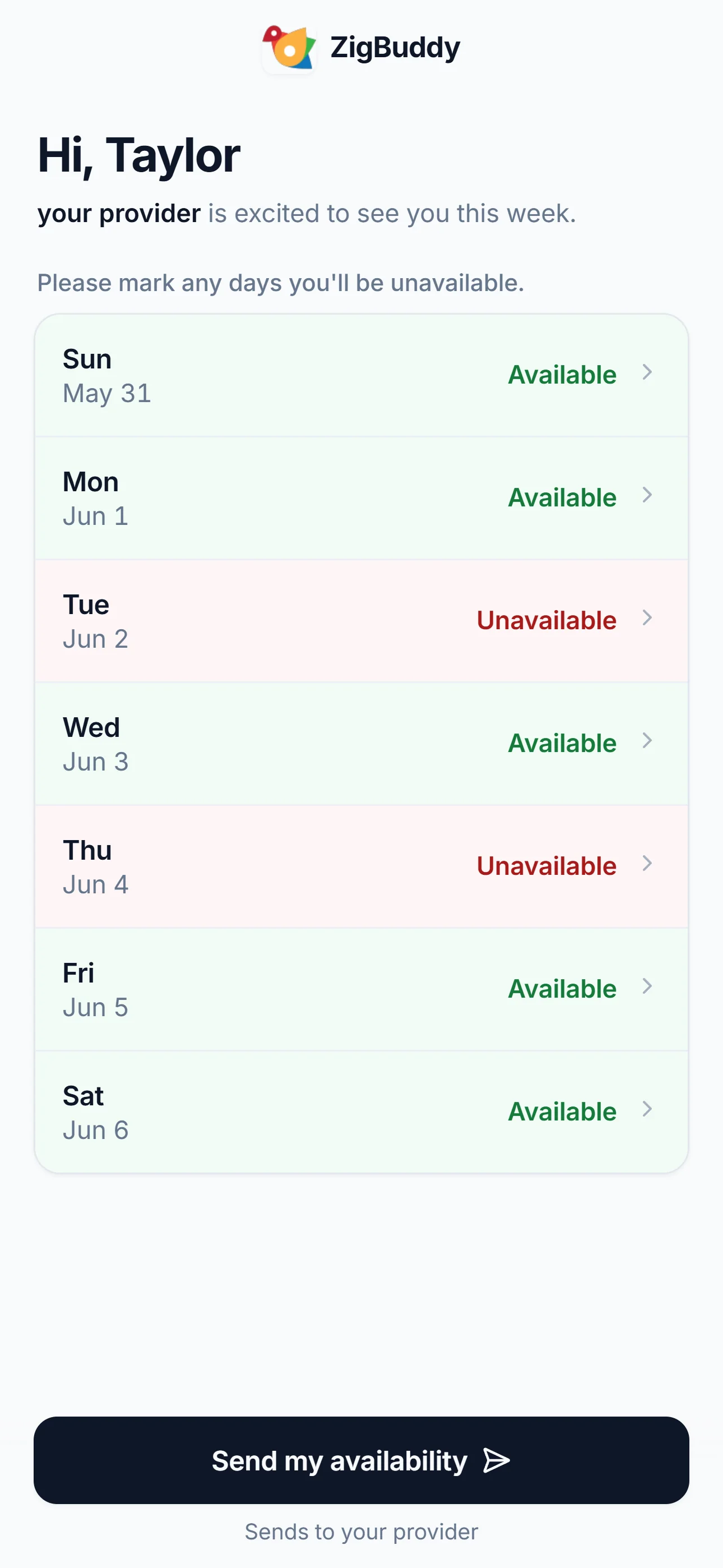
Your patients confirm. You stay in sync.
Send a one-tap link. Patients see a friendly page, mark their week, and hit Send. Their answer lands in your inbox in real time.
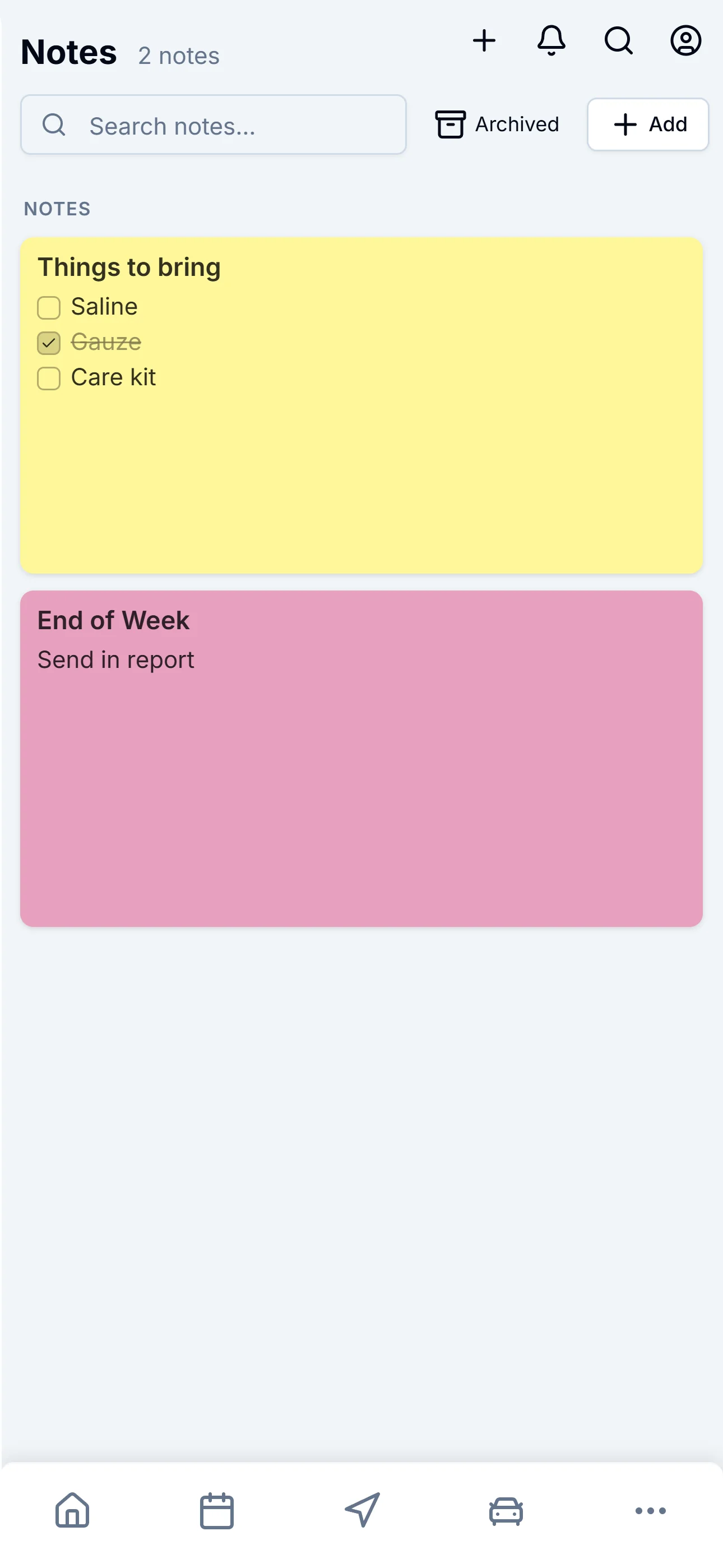
Sticky notes that come with you.
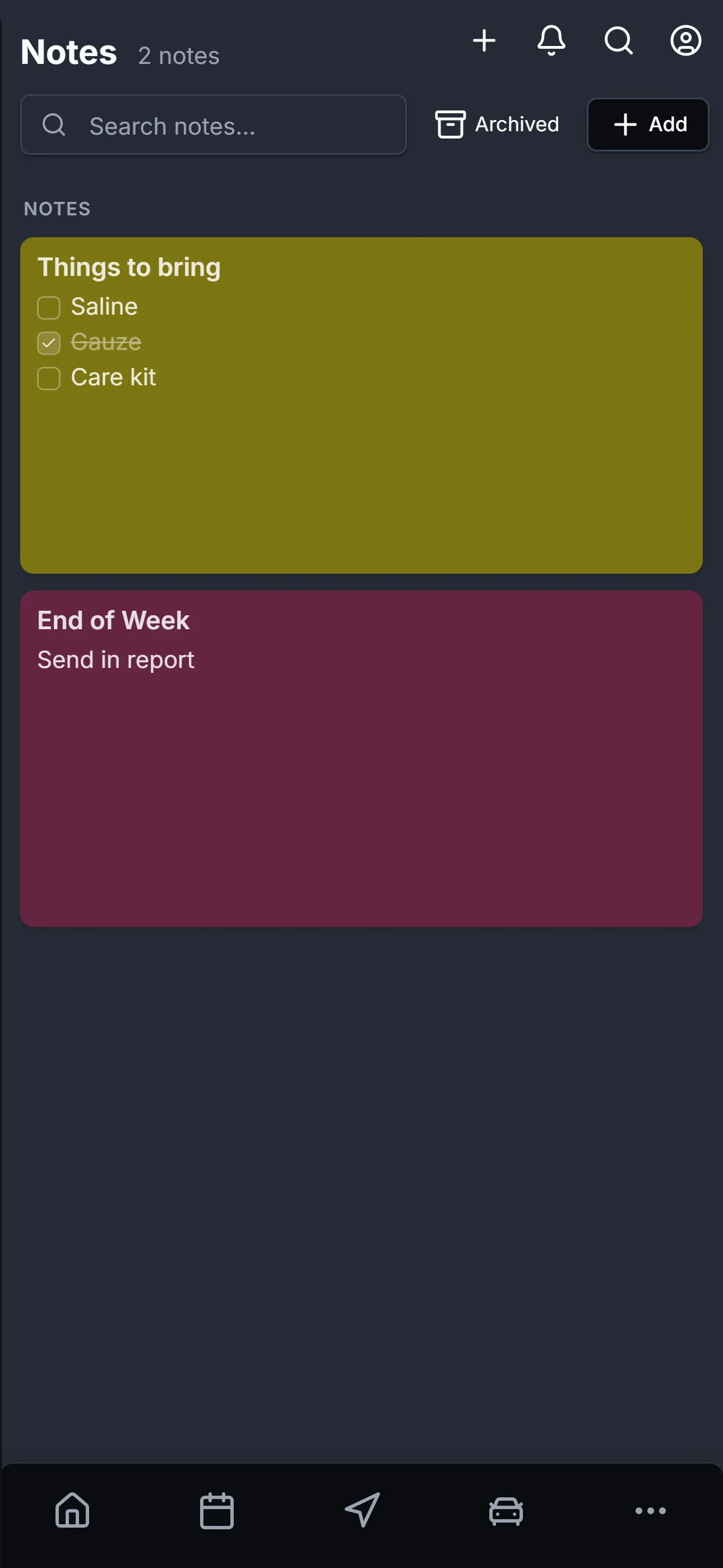
Things to bring. End-of-week reports. The detail your supervisor wanted you to remember. Color-coded, pinnable, checklist-capable — attach to a specific day, or keep one floating that follows you all week.
- Free-form text or checklist mode per note
- Twelve sticky-note colors; pin the important ones
- Per-appointment notes too, right on each visit
- Archive or delete for end-of-quarter cleanup
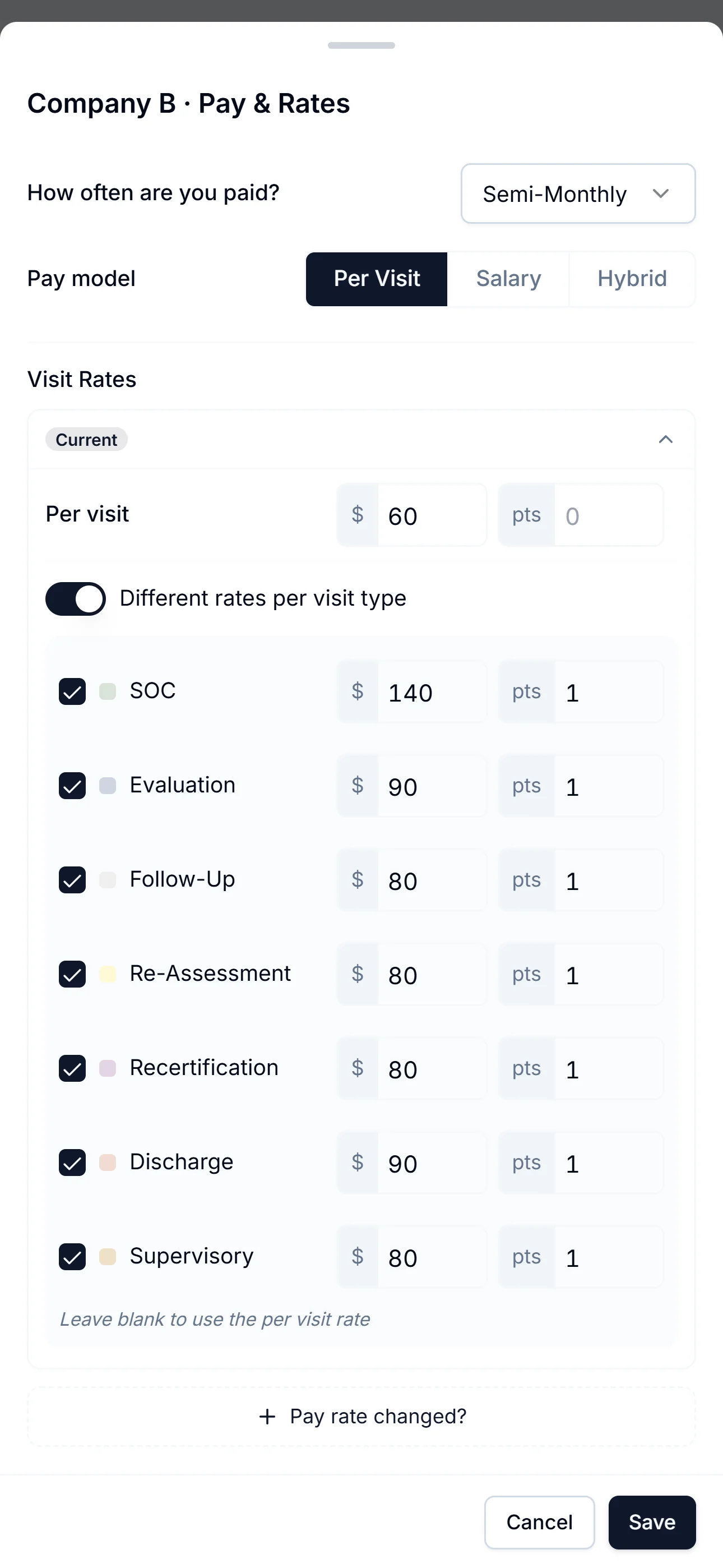
Per-visit-type rates. Per agency.
Tell ZigBuddy what each agency pays for each visit type — SOC, Eval, Follow-Up, Discharge. Every report after that does the math for you.
- Per-visit pricing, salary, or hybrid — pick what matches each contract
- Different rates per visit type, per agency, per pay period
- Per-visit overrides for the one-off "I negotiated extra for this drive"
- Rate-change history kept; past reports stay accurate
Every mile, every visit, every agency.
W2, 1099, or just reporting up to the agency — ZigBuddy keeps the books either way. Built for the way home health clinicians actually get paid.
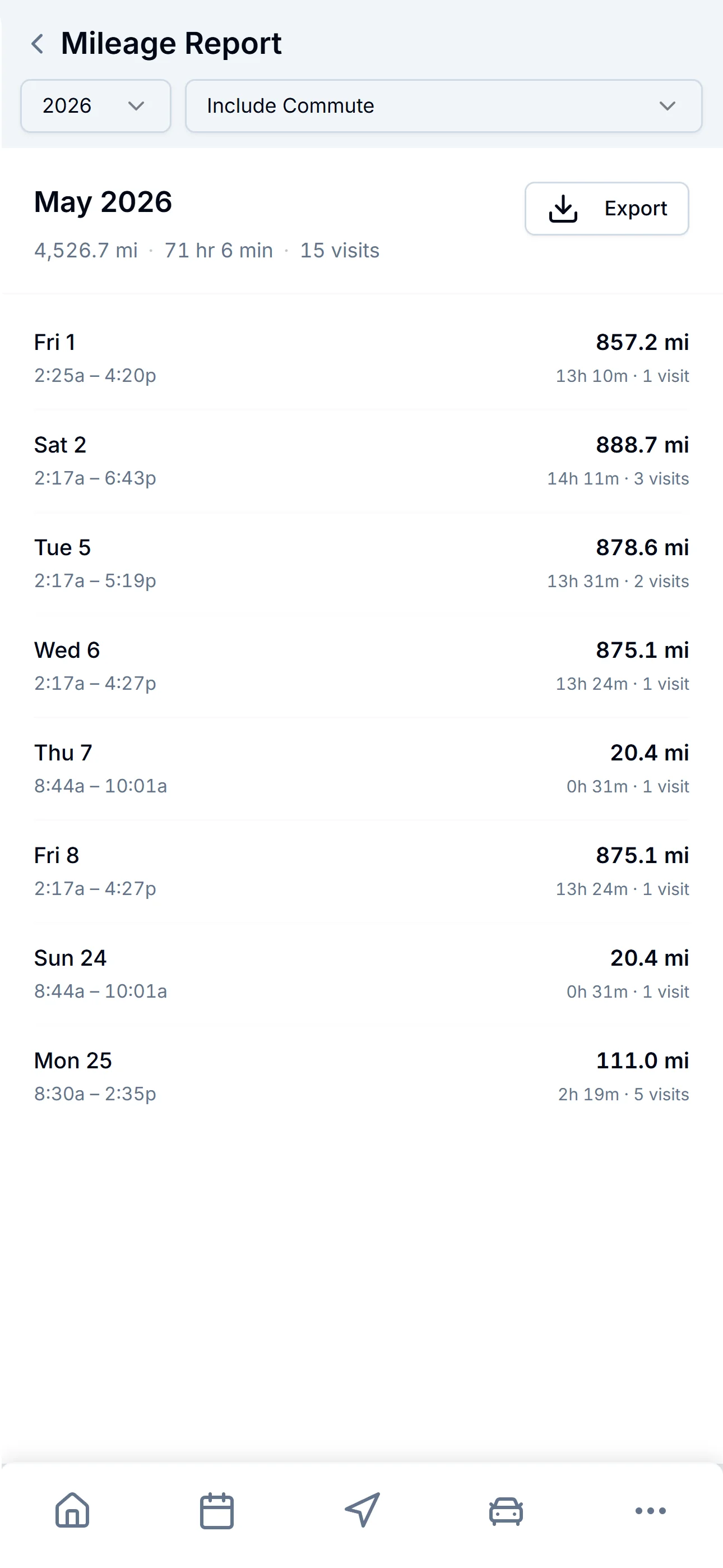
Mileage
Tax-time math, already done.
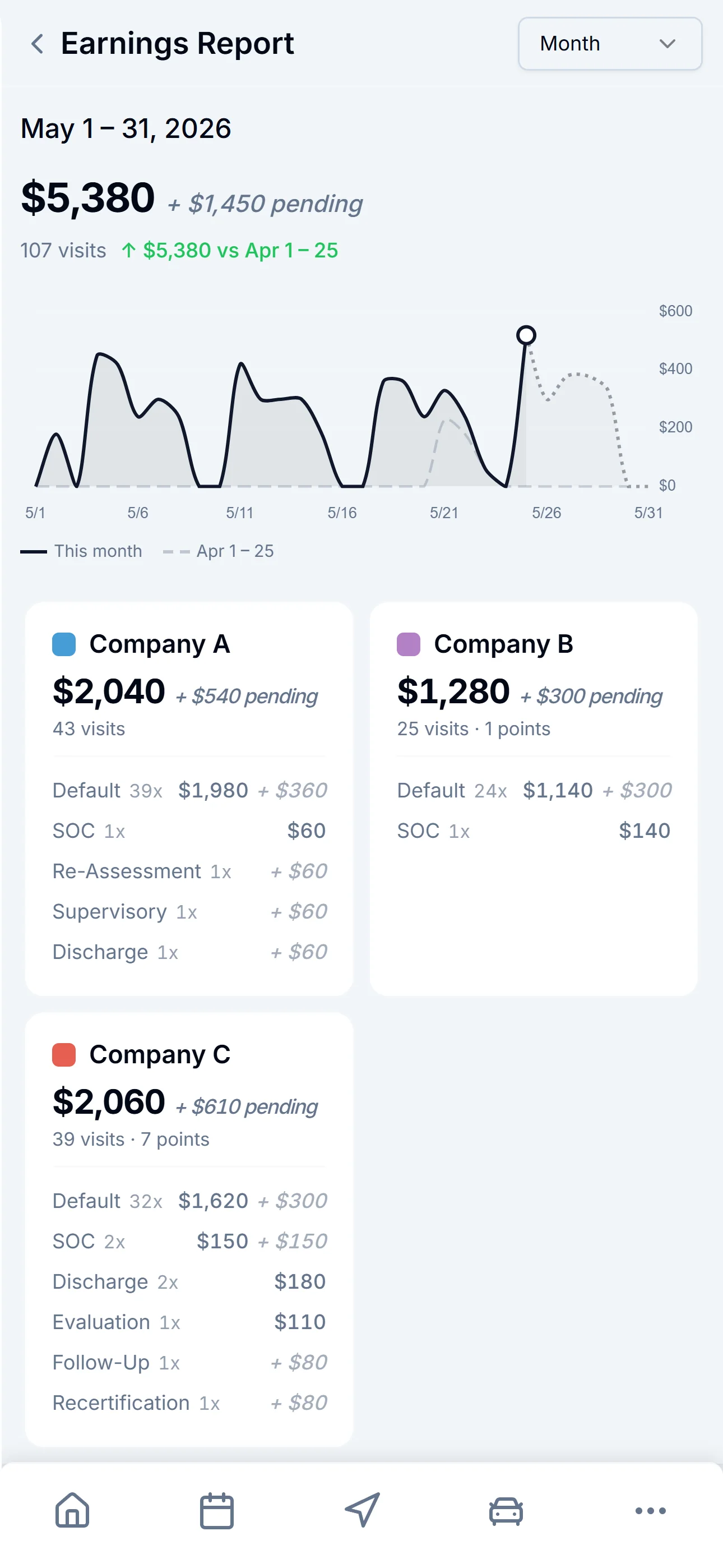
Earnings
See the month at a glance.
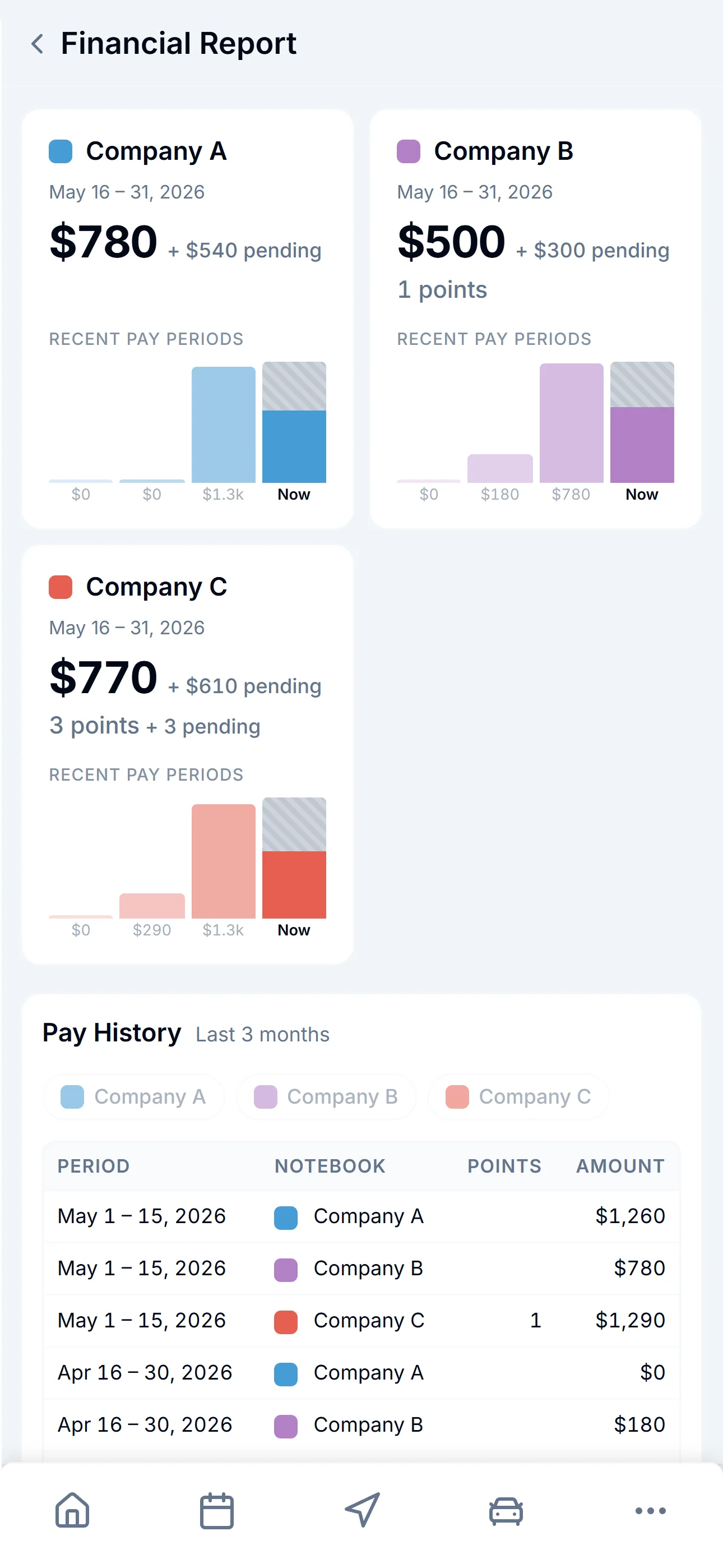
Financial
Every agency, side by side.
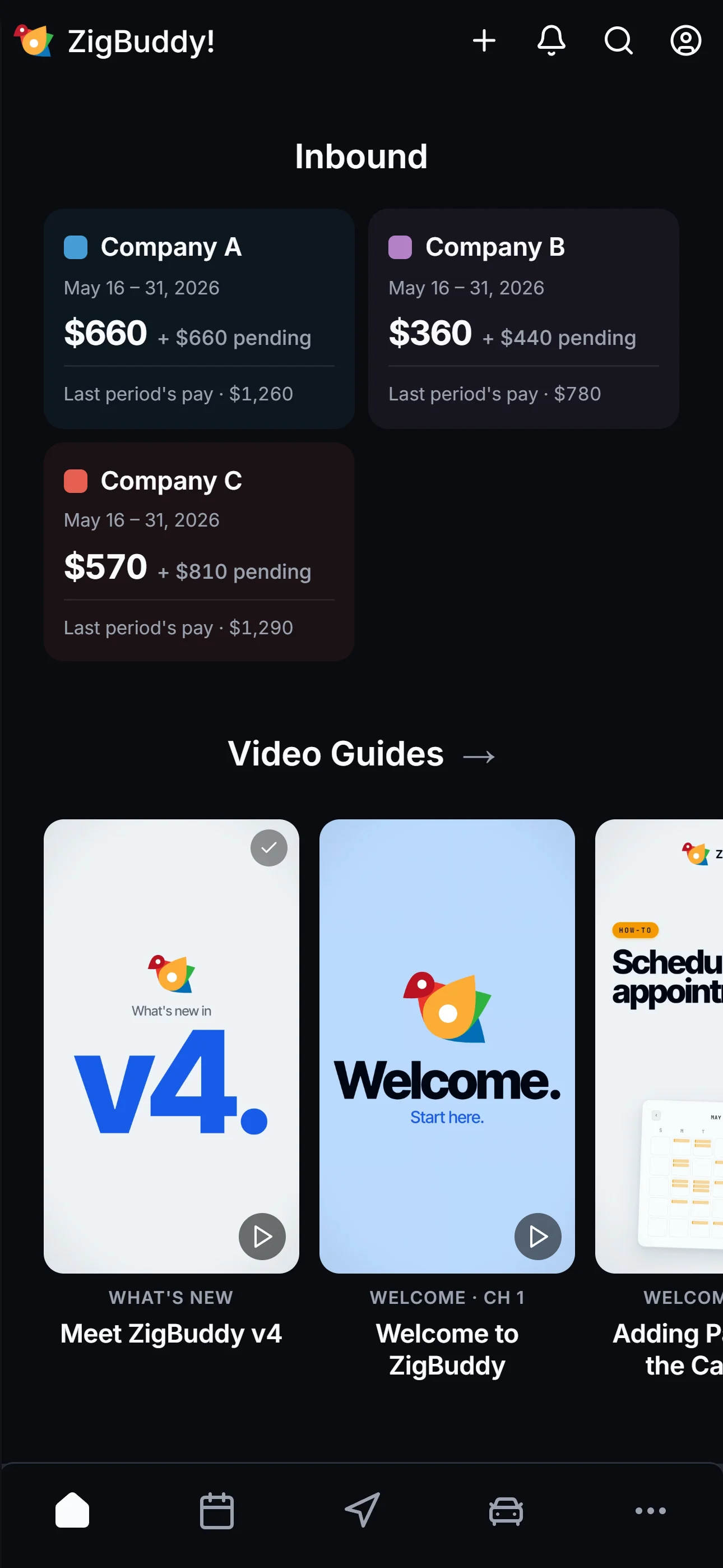
Every agency, every dollar — on your home screen.
Inbound sits right below your day plan. Each notebook (agency) gets a card with this period's earned, pending, and last period's pay. No reports to open.
When you're working three or four agencies, "where do I stand with each of them this pay period?" used to take a spreadsheet to answer. Now it's the first thing you see when you open the app.
Recurring rules and one-time blocks. Side by side.
Diagonal stripes for recurring blocks. Solid blocks for one-time. At a glance, you know what's a forever rule and what's a single day.
- Per-patient availability calendar
- Recurring weekday rules (Never Tuesdays)
- One-time blocks and one-time availability
- Partial-day rules — block mornings only
- AI sets all of this from plain English
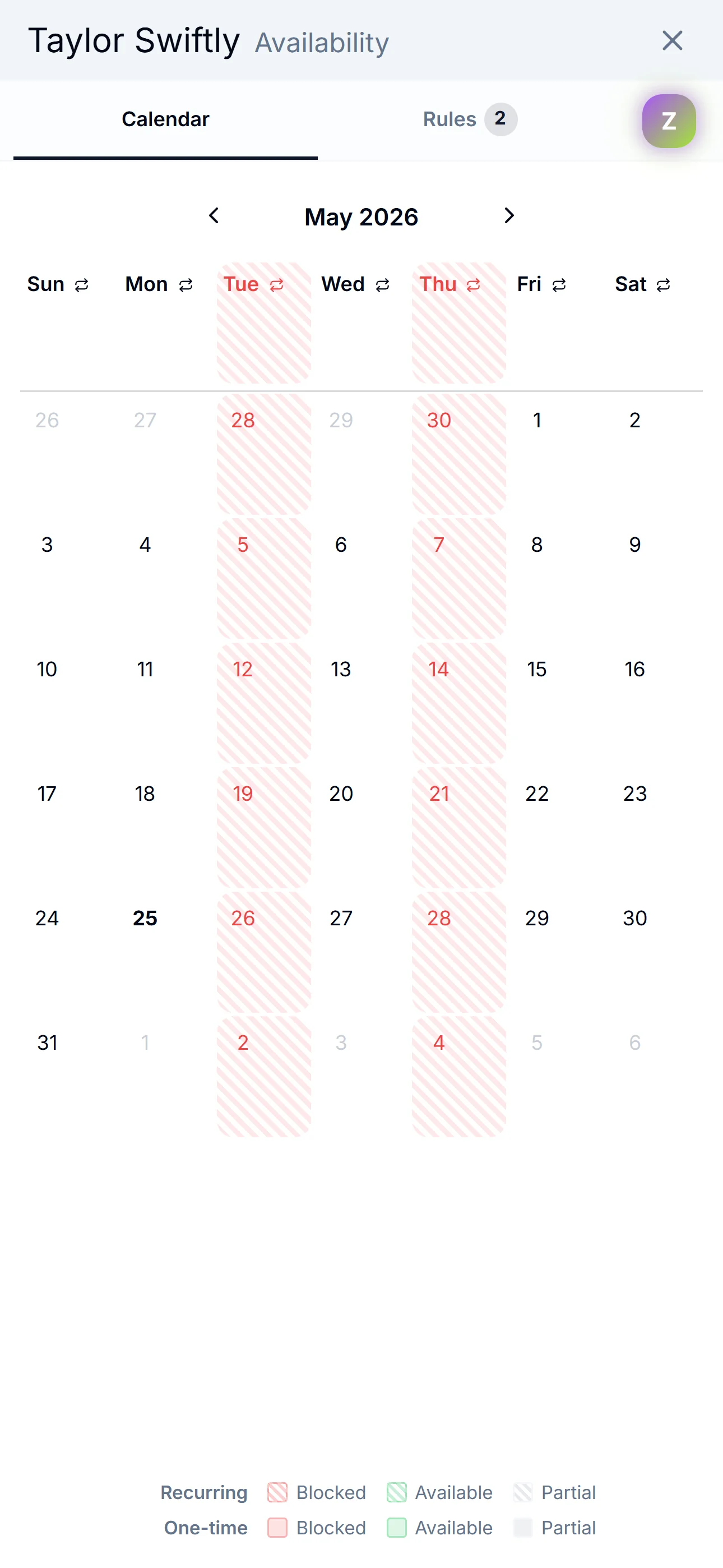
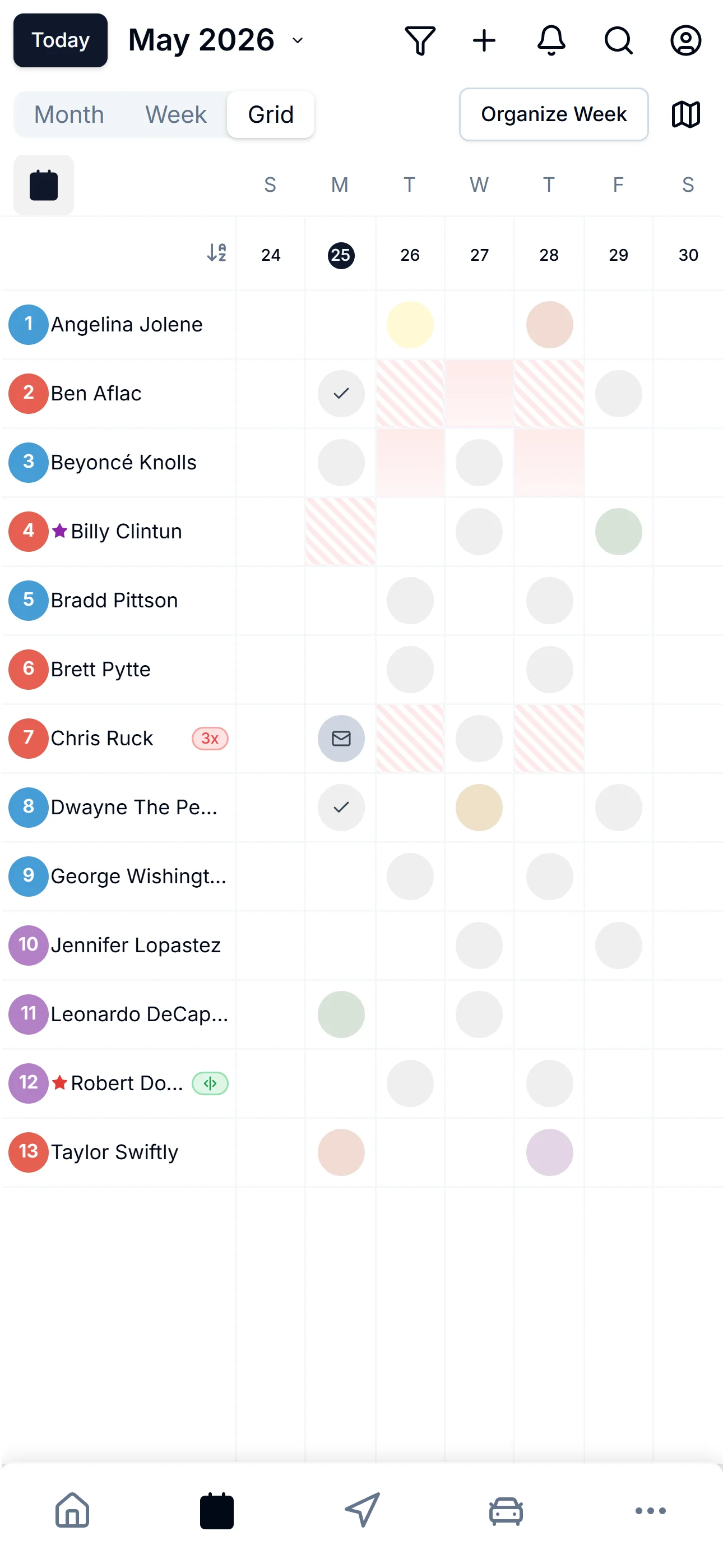
Per-patient rules · One-week roster at a glance
The dozens of small things that add up.
The supporting cast — small touches you stop noticing because they just work.
Patient management
- Notebooks per agency
- Tags, stars, color codes
- Per-patient availability rules
- Manual lat/lng for rural addresses
- Bulk import from existing data
- Archive without losing history
Communication
- Tap-to-call from any patient
- Patient Portal link sharing
- Multiple phone numbers per patient
- Patient response tracking
Built for the road
- iOS, Android, and web — same data
- Drive Mode for hands-free use
- Auto-sync across every device
- Full dark mode across every screen
- Display zoom for any screen
- Calendar Sync (Google, Apple, Outlook)
Privacy & security
- HIPAA-compliant safeguards
- BAAs available for agencies
- Encryption in transit and at rest
- Sign in with Apple, Google, or email
- No selling or sharing of data
Assistants
- Invite the people who help you — up to 3, free
- View-only or full scheduling access
- Their changes, logged by name
- Billing and reports stay private to you
- Revoke with one tap

See it work in your own week.
Drop in your real patient list. Plan a real day. 14 days free. No credit card.